Blog
Product updates, engineering notes, and guides on testing performance in real browsers.
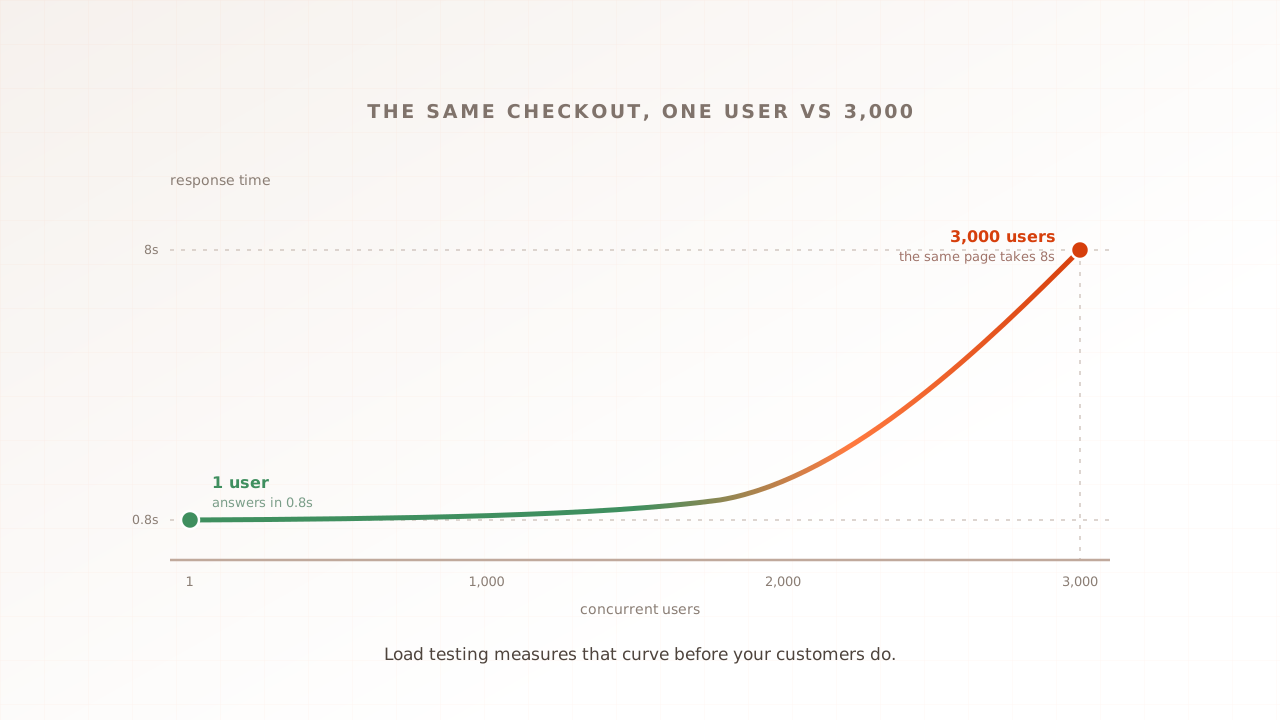
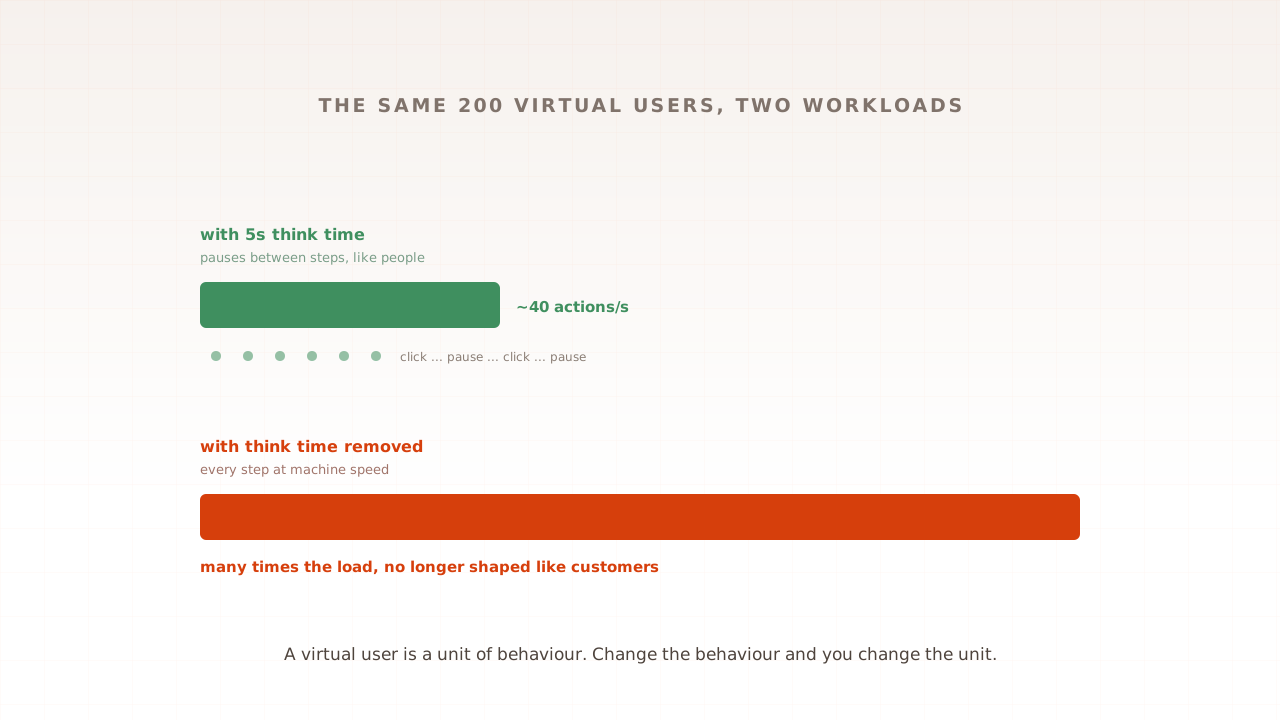
What is a virtual user?
A virtual user is a simulated visitor that a load testing tool runs through your site: browsing, pausing, adding to cart, checking out, independently of every other simulated visitor. Get this one definition right, including what a virtual user is not (a person, a request, or your daily traffic), and most first load tests stop going wrong.
Ahmad Farzan ·

The types of performance testing, and when to use each
Load, stress, spike, soak: the names get used interchangeably, but each test answers a different question about your site. This guide maps every major type of performance testing to the question it answers and the traffic shape it uses, in one table, with an honest order to run them in. Start with the question, and the right test picks itself.
Ahmad Farzan ·

What is website performance, and why does speed matter?
Website performance is what your site feels like to the person using it: how fast pages appear, how quickly they respond, and whether that holds when traffic arrives. It matters because the costs are measurable. Slow pages convert visitors at a fraction of the rate of fast ones, and search rankings lean toward sites that feel good to use.
Ahmad Farzan ·

How to prepare your website for Black Friday: the 12-week plan
Black Friday 2026 lands on 27 November, and most sites that fail that morning failed weeks earlier, when nobody rehearsed the traffic. This plan counts down from the day: set targets from last year's analytics, find your real ceiling while fixes are still possible, rehearse the opening spike, then freeze and stand watch. Starting late? Jump in at your week.
Ahmad Farzan ·
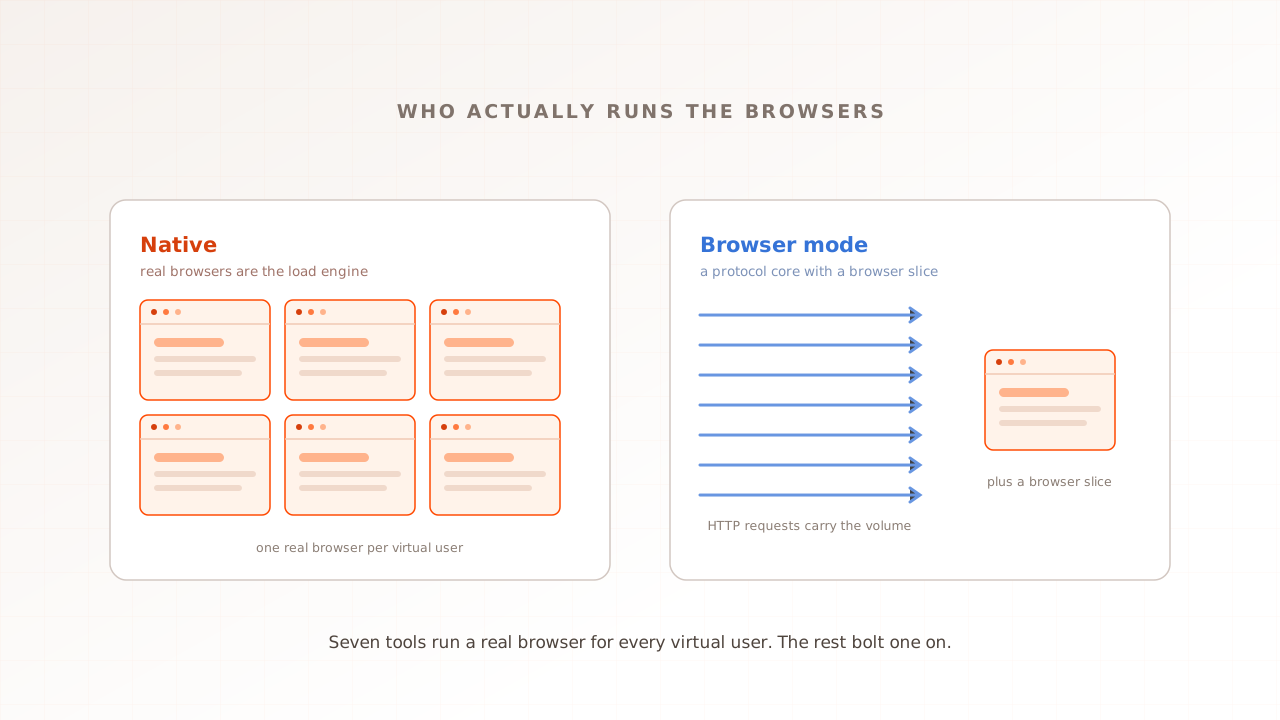
Best real-browser load testing tools in 2026
Most load testing tools fire HTTP requests and never render a page. Only a handful run a real browser for every virtual user, which is what it takes to see Core Web Vitals under load. Here are the seven that do, the protocol tools with a browser mode, and honest pricing for each.
Ahmad Farzan ·
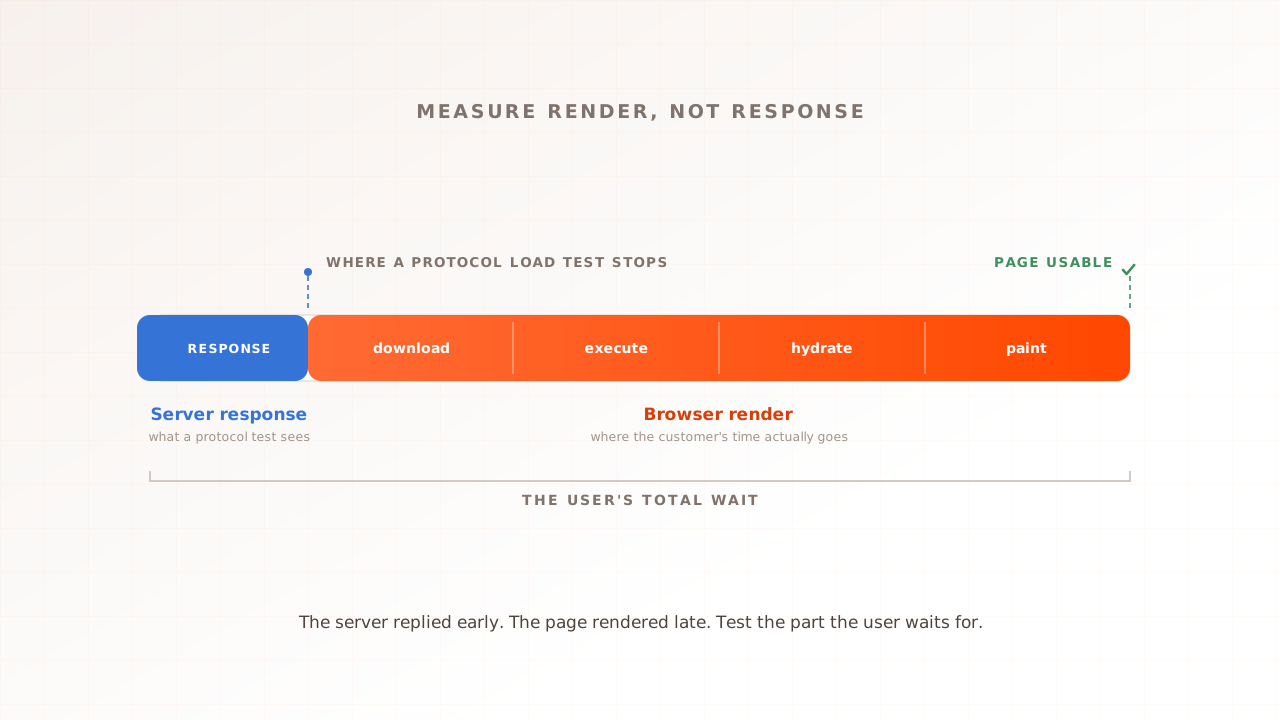
Load testing a headless or Hyvä storefront
A headless storefront decouples the frontend from Magento and may render on the client, server, or edge. Hyvä is different: it is a lighter, server-rendered Magento frontend that replaces much of Luma's JavaScript stack. Both still need browser measurement and backend capacity testing, but for different reasons.
Ahmad Farzan ·
Why your Shopify store slows down under load
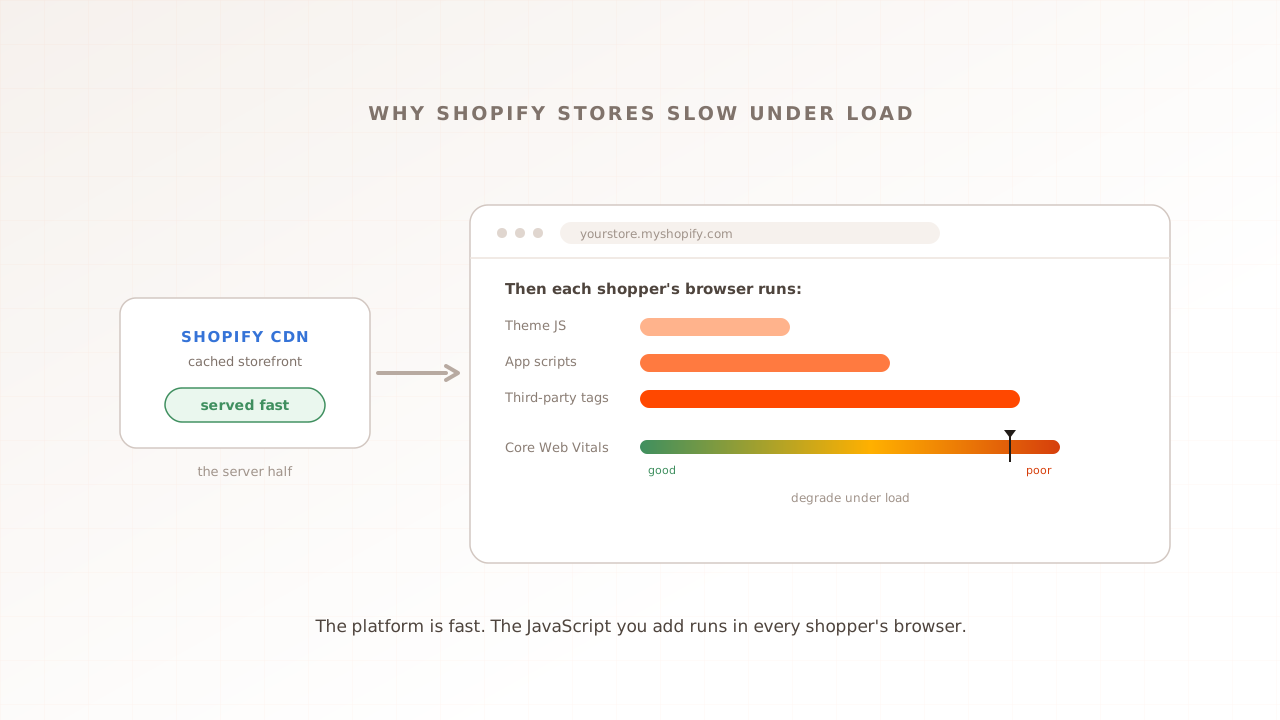
Shopify is hosted, so buyers assume it scales, and its cached storefront genuinely does. The slowdown lives somewhere else: the theme, apps, and third-party JavaScript a merchant adds run in every shopper's own browser, where an HTTP load test never looks. Under load, that is where a Shopify store actually slows. Here is why, and how to see it.
Ahmad Farzan ·
WooCommerce performance testing: find your store's limit under load
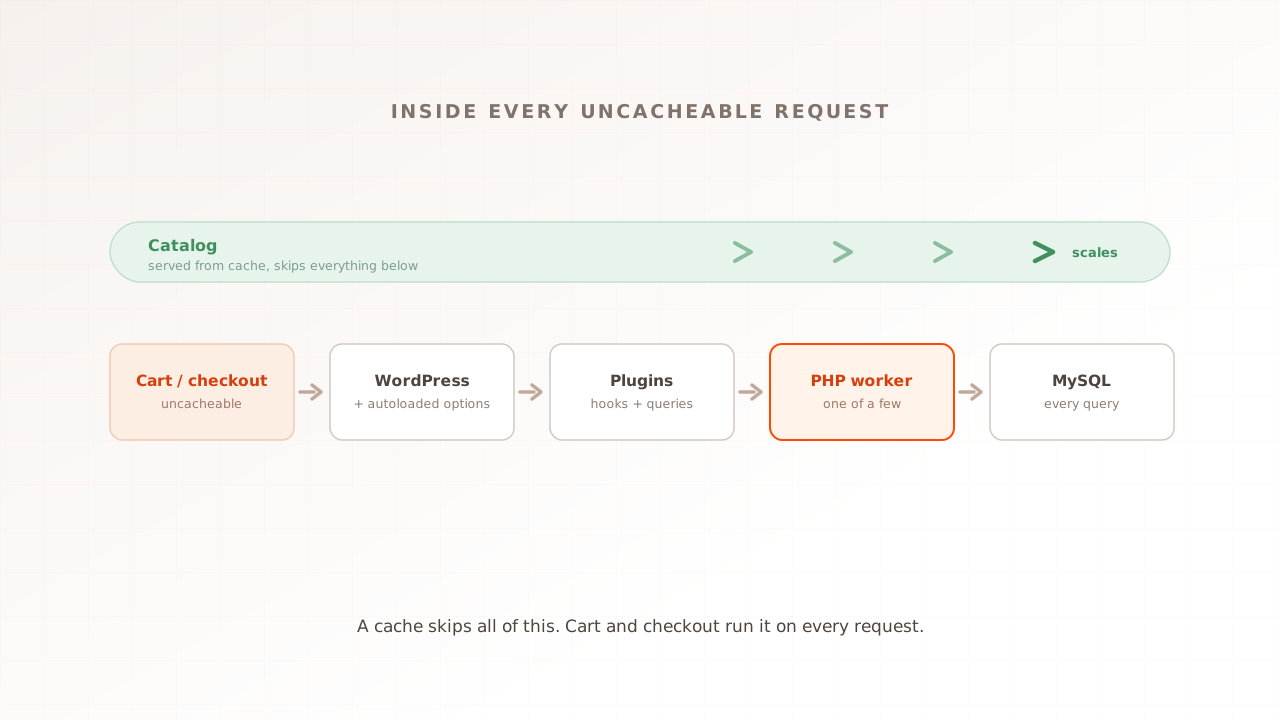
WooCommerce runs your store, which means the slow paths are yours to fix. Its cached catalog flies, but cart, checkout, and my-account run PHP and MySQL on every request, and on budget hosting a thin worker pool caps how many shoppers that path can hold. Here is why it slows under load, and how to test a staging copy.
Ahmad Farzan ·
How to improve CLS: a step-by-step optimization guide
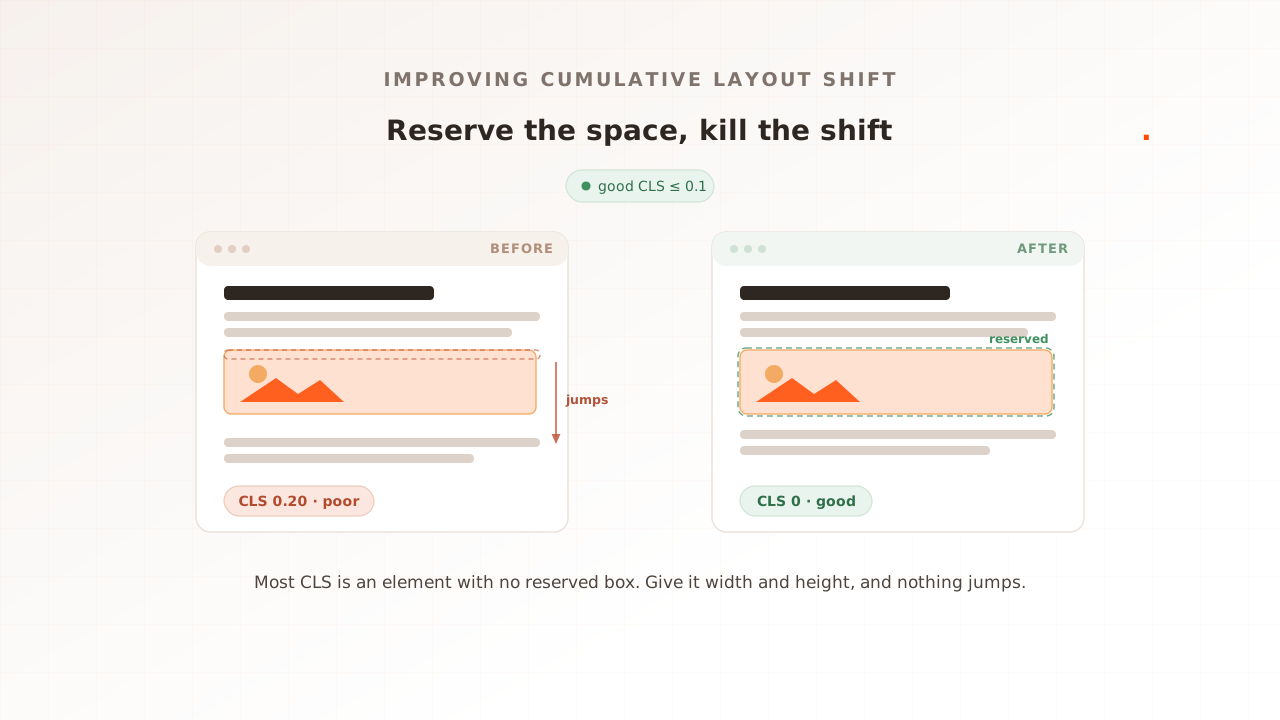
Almost every layout shift is the same bug: an element that loads without a reserved box, so everything below it jumps. Cumulative Layout Shift is the easiest Core Web Vital to fix, because the cure is nearly always to reserve the space in advance. This guide is the practical playbook: the fixes in priority order, the code for each, the font trick most teams skip, and how to confirm the number held for real users.
Ahmad Farzan ·
How to improve INP: a step-by-step optimization guide
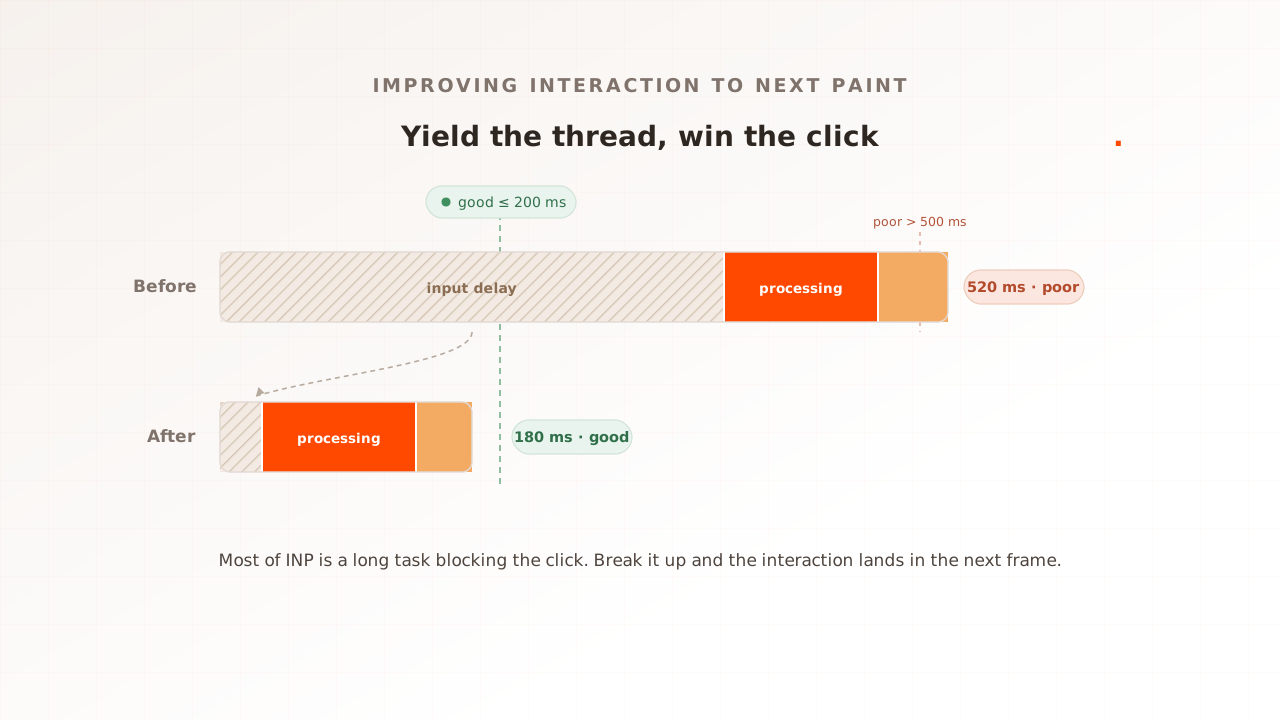
Most teams trying to improve INP optimize the click handler, and most of the time the handler is not the problem. A long task was already running on the main thread when the user clicked, so the interaction had to wait. This guide is the practical playbook: the fixes in priority order, the code for each, the modern API most sites have not adopted yet, and how to confirm the number actually moved for real users under load.
Ahmad Farzan ·
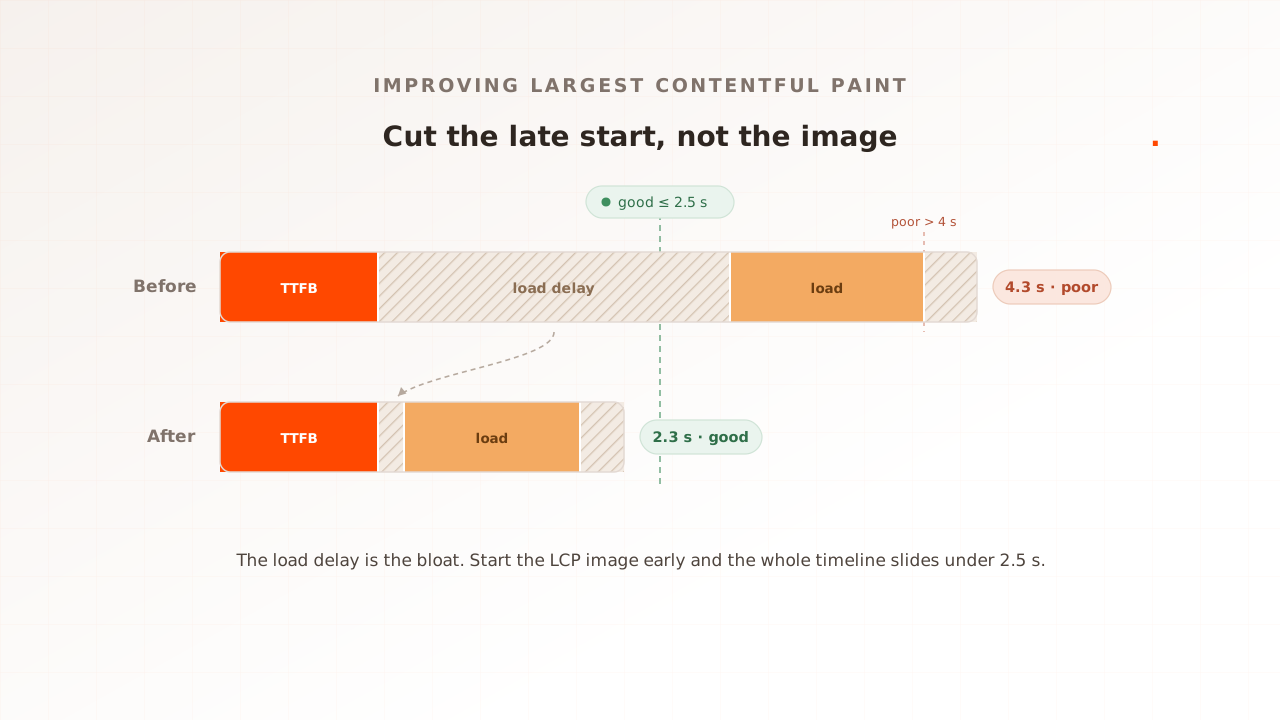
How to improve LCP: a step-by-step optimization guide
Most teams trying to improve Largest Contentful Paint reach for a smaller image, and most of the time the image is not the problem. The browser is starting it too late. This guide is the practical playbook: the fixes in priority order, the code for each, the two 2025 techniques most sites have not adopted, and how to confirm the number actually moved for real users under load.
Ahmad Farzan ·
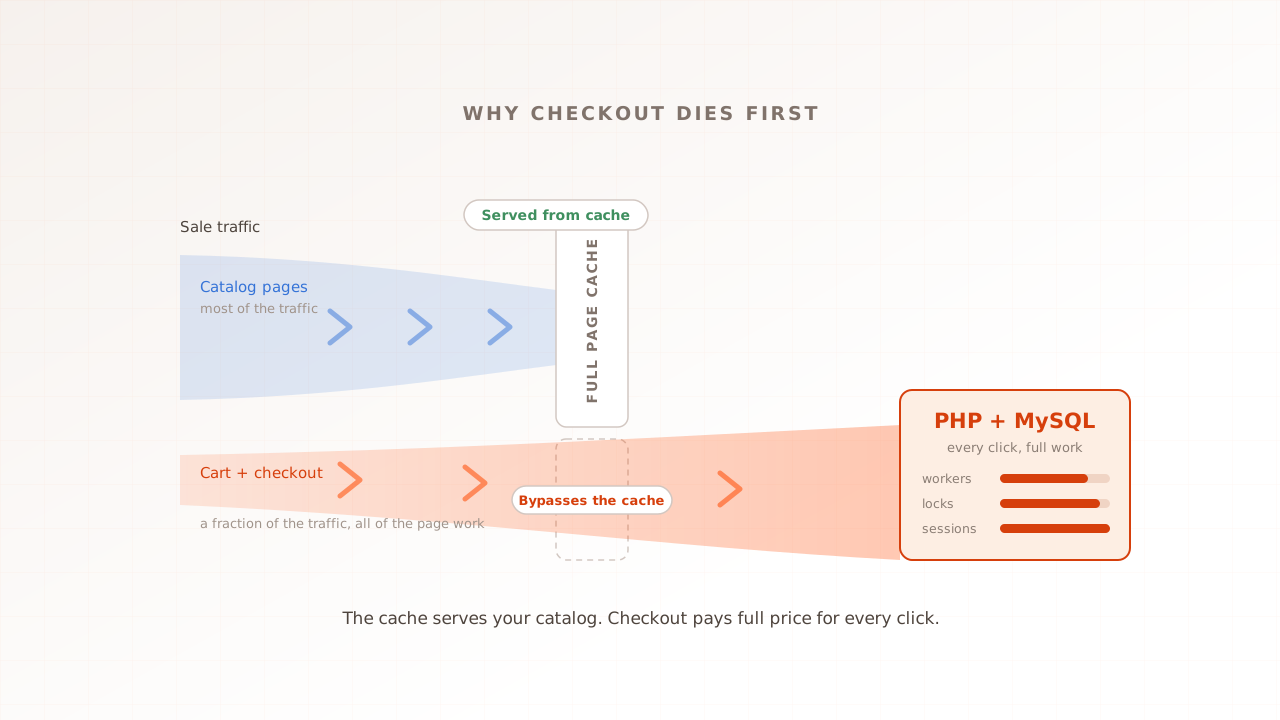
Why Magento checkout dies first under load
Every sale, the same picture: the homepage is fast, product pages are fine, and checkout is timing out. That is not bad luck. Magento's cache serves the catalog, but cart and checkout hit PHP and MySQL on every click, exactly where the work is heaviest and hardest to share. Here is why, and how to test for it.
Ahmad Farzan ·
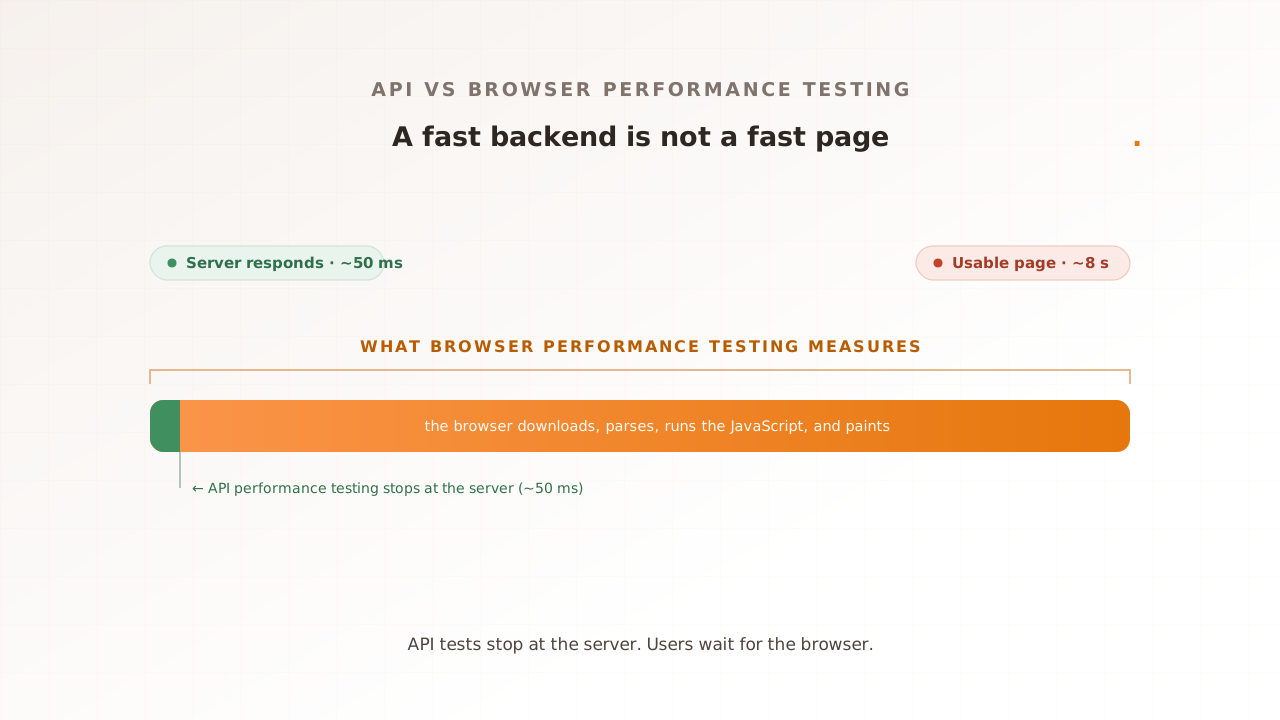
API performance testing vs browser performance testing: which your QA strategy needs
Your API responds in fifty milliseconds. Your page still takes eight seconds to feel ready. API performance testing and browser performance testing measure different layers of that gap, and your QA strategy needs both. Here is what each one catches, what it misses, and how to decide which to run first.
Ahmad Farzan ·
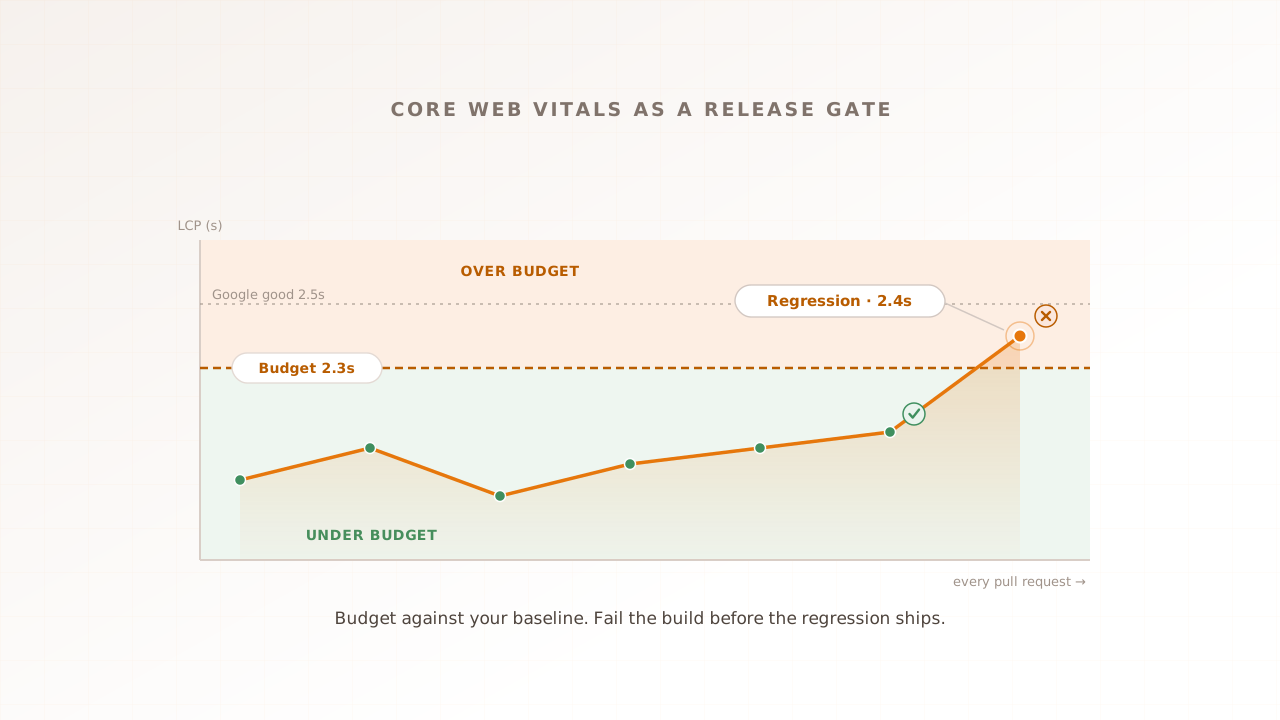
Performance regression testing: making Core Web Vitals a CI/CD release gate
A green test suite proves your code is correct. It says nothing about whether the page got slower. Performance regression testing closes that gap: set Core Web Vitals budgets, measure every build against a baseline, and fail the pipeline when a change busts one. This guide wires that gate into CI/CD, from baselining main to the regressions only load reveals.
Ahmad Farzan ·
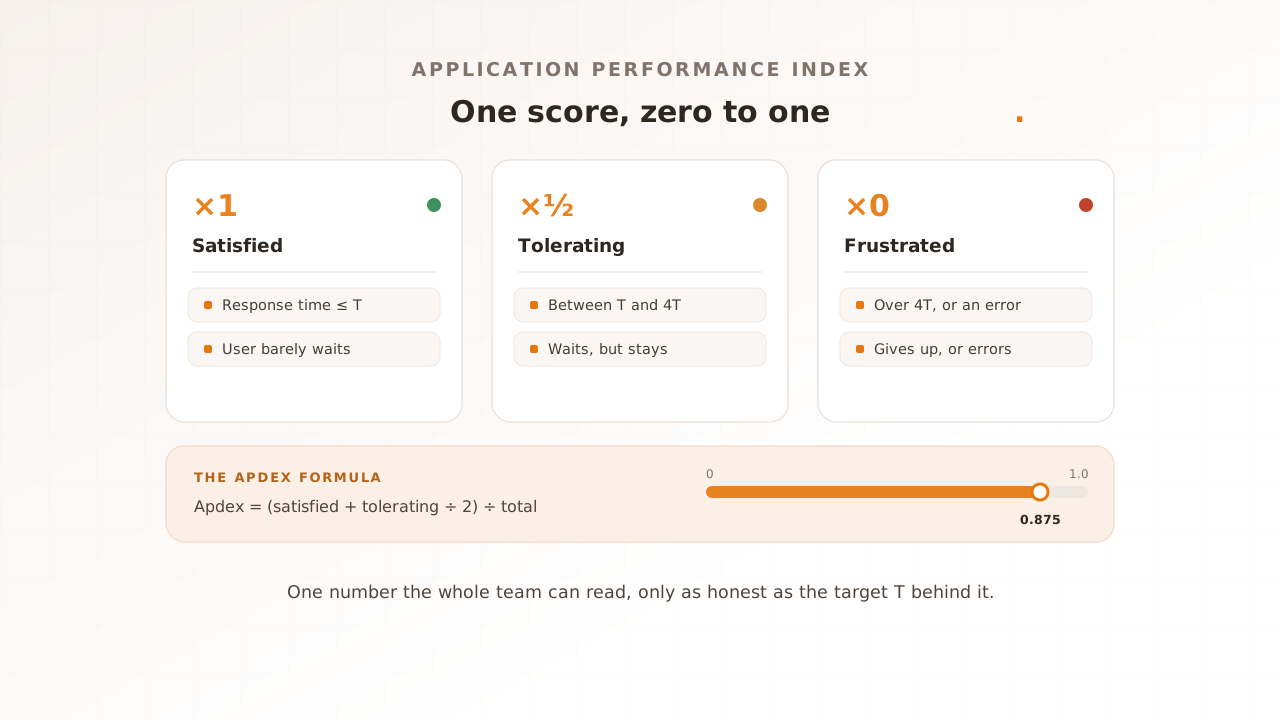
What is an Apdex score? Measuring user satisfaction in performance testing
A load test can come back full of green percentiles and still not tell you whether the people behind them were satisfied or quietly giving up. An Apdex score answers that in one number from 0 to 1: you set a target response time, and it reports how many requests left users satisfied rather than merely tolerating, or frustrated.
Ahmad Farzan ·
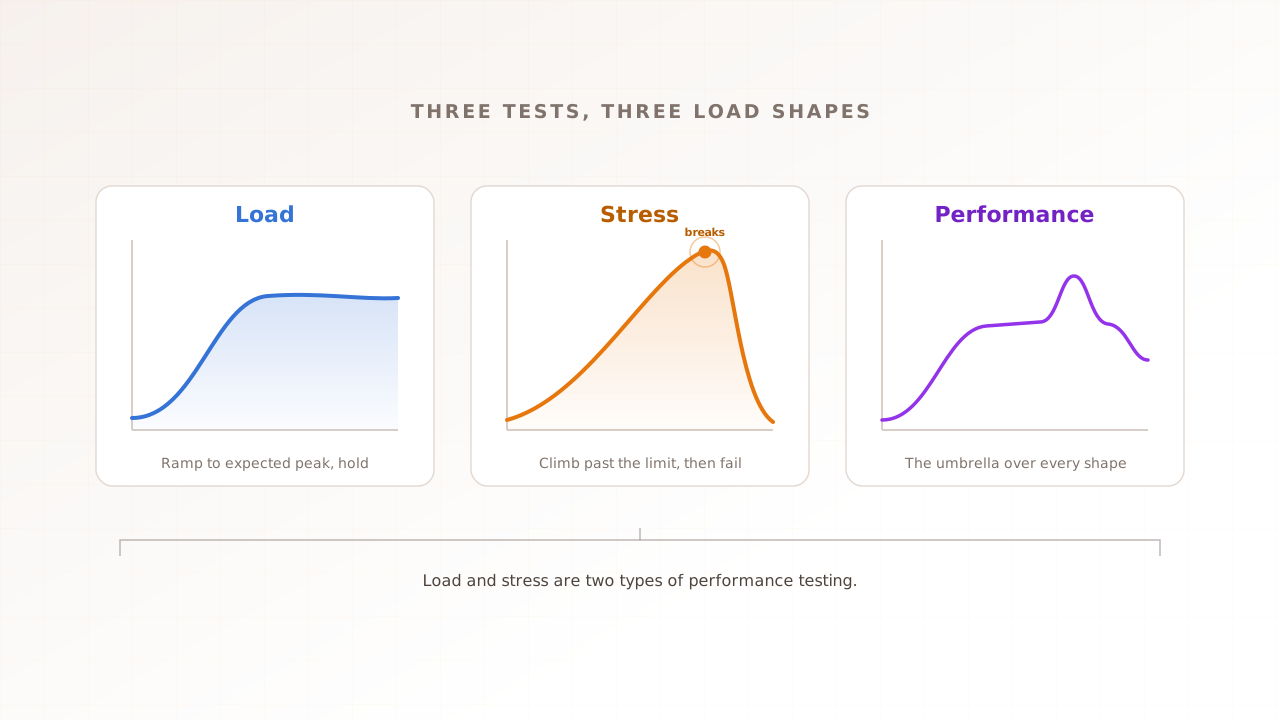
Load testing vs stress testing vs performance testing: how the three actually differ
Three terms, endless confusion. Performance testing is the umbrella; load testing checks whether you survive the traffic you expect; stress testing pushes past that to find where you break. This guide shows how the three actually differ, when to run each, and which one your team needs first.
Ahmad Farzan ·
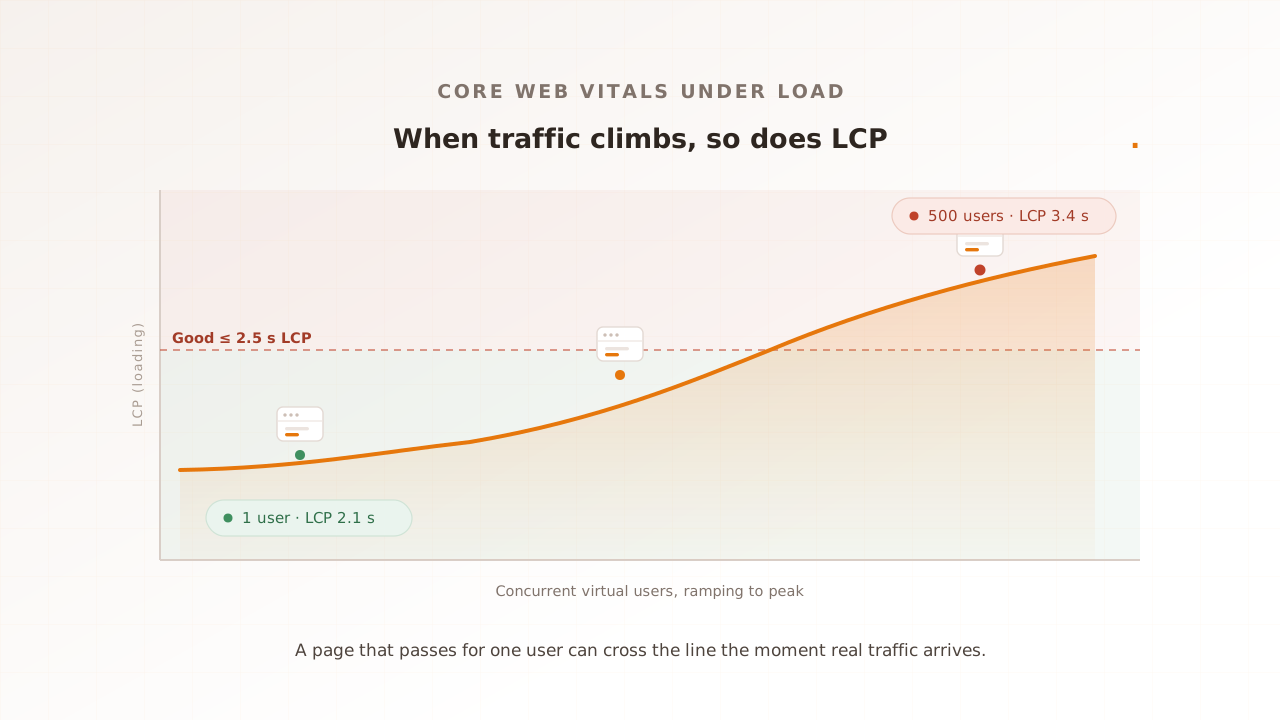
Core Web Vitals at load, explained
A page can score green in a single-user Lighthouse run and still ship a red Largest Contentful Paint the moment real traffic arrives. Core Web Vitals change under load: the server slows, time to first byte grows, and interactions wait on a busy backend. This guide explains why each Vital moves under load, and how to measure them at concurrency.
Ahmad Farzan ·
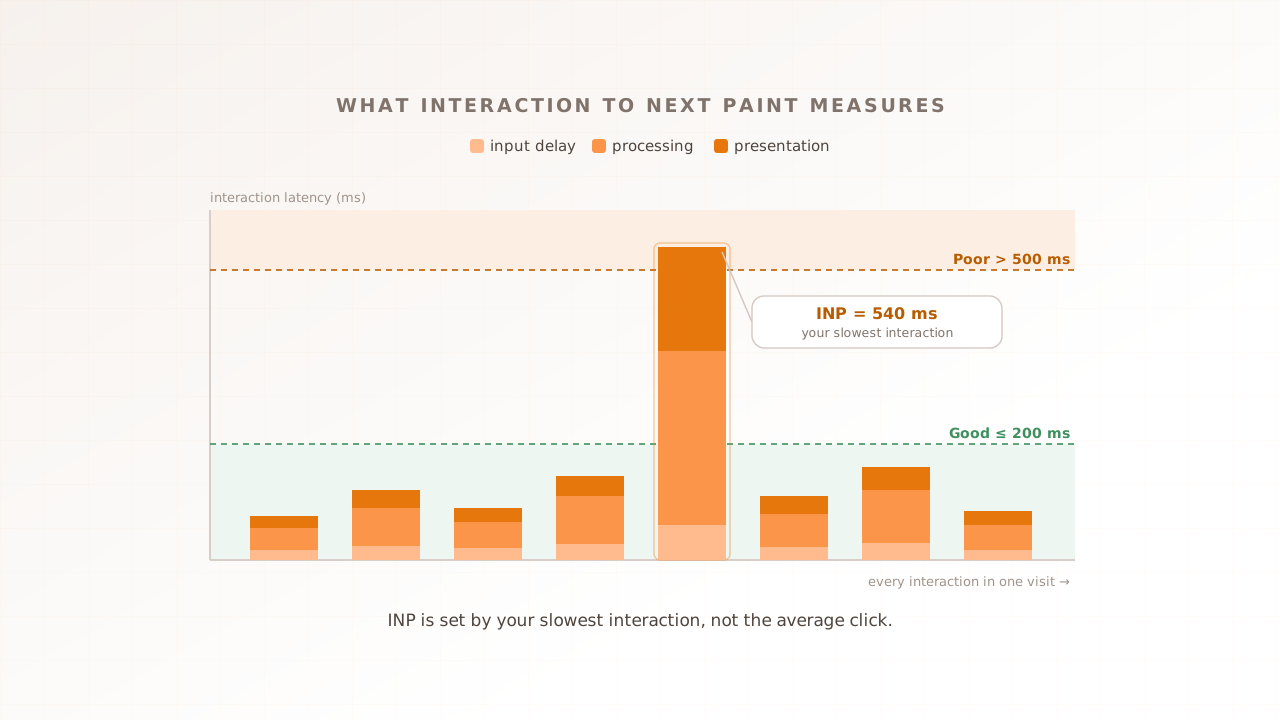
Interaction to Next Paint (INP), explained for engineers
A page can pass every functional test and still feel slow on the second tap. Interaction to Next Paint is the Core Web Vital that catches it: the latency of your slowest interaction across a visit, timed from the click to the next frame painted. Here is what INP captures, what drags it past 200ms, and how to test it under load.
Ahmad Farzan ·
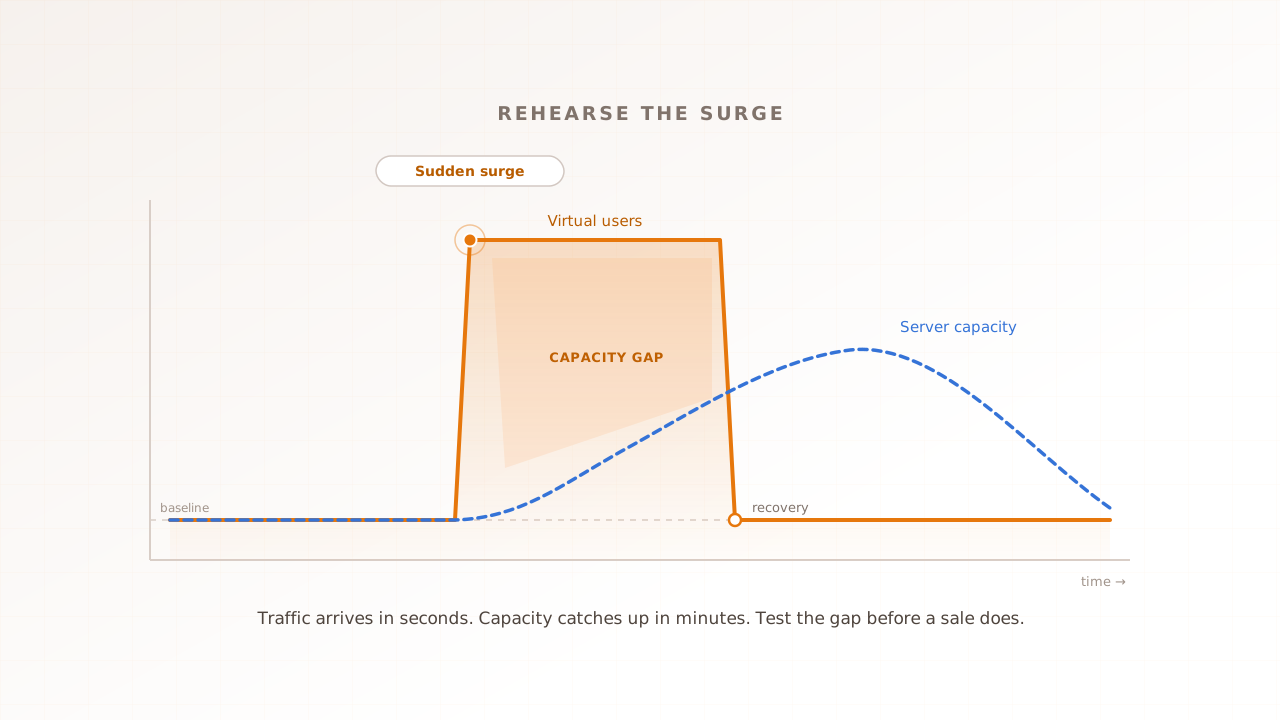
What is spike testing? Preparing for traffic surges and flash sales
A flash sale does not ramp up. Ten thousand people hit checkout in the same minute, and the autoscaler is still booting servers when the page falls over. Spike testing rehearses that surge on purpose, a sudden jump in traffic then a sudden drop, so you learn whether the site survives the moment before your customers find out for you.
Ahmad Farzan ·
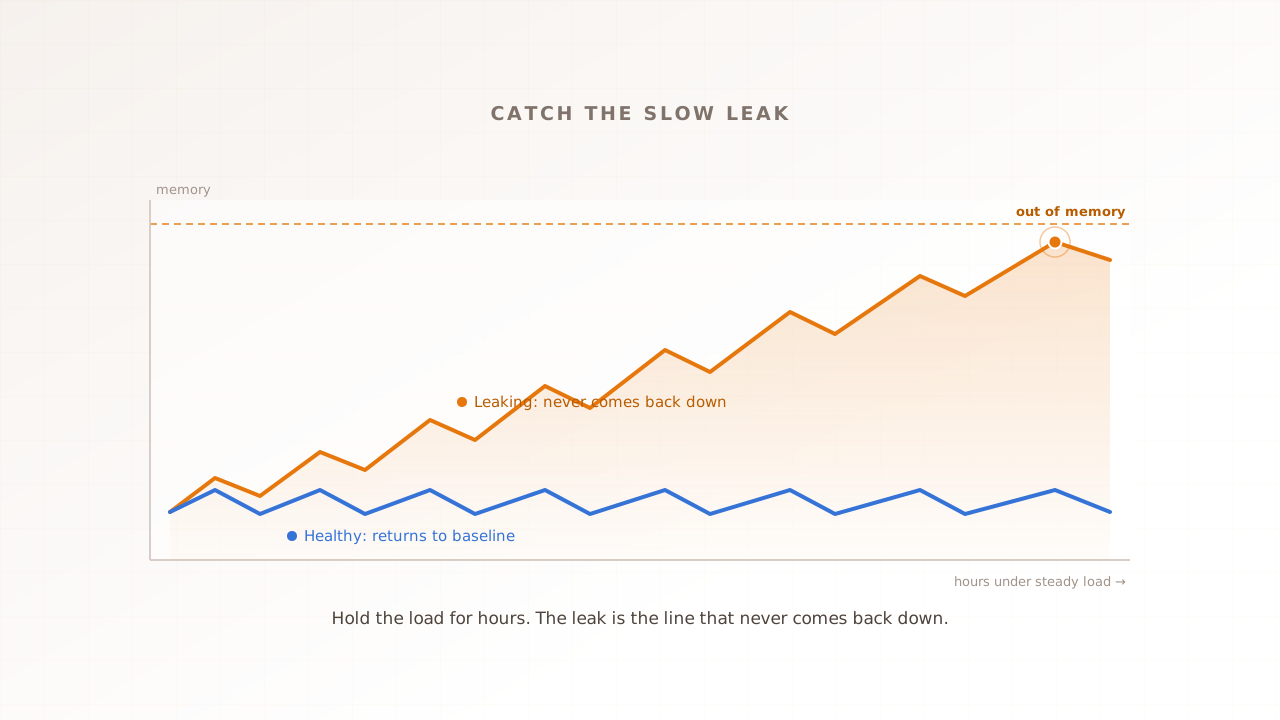
Soak testing explained: catching slow degradation and memory leaks over time
Some failures never show up in a ten-minute test. A memory leak, a connection that never closes, a cache that only grows: these surface after hours of steady traffic, not minutes. Soak testing holds a realistic load for hours or days to expose the slow degradation short tests miss, before your users meet it as a 3 a.m. outage.
Ahmad Farzan ·
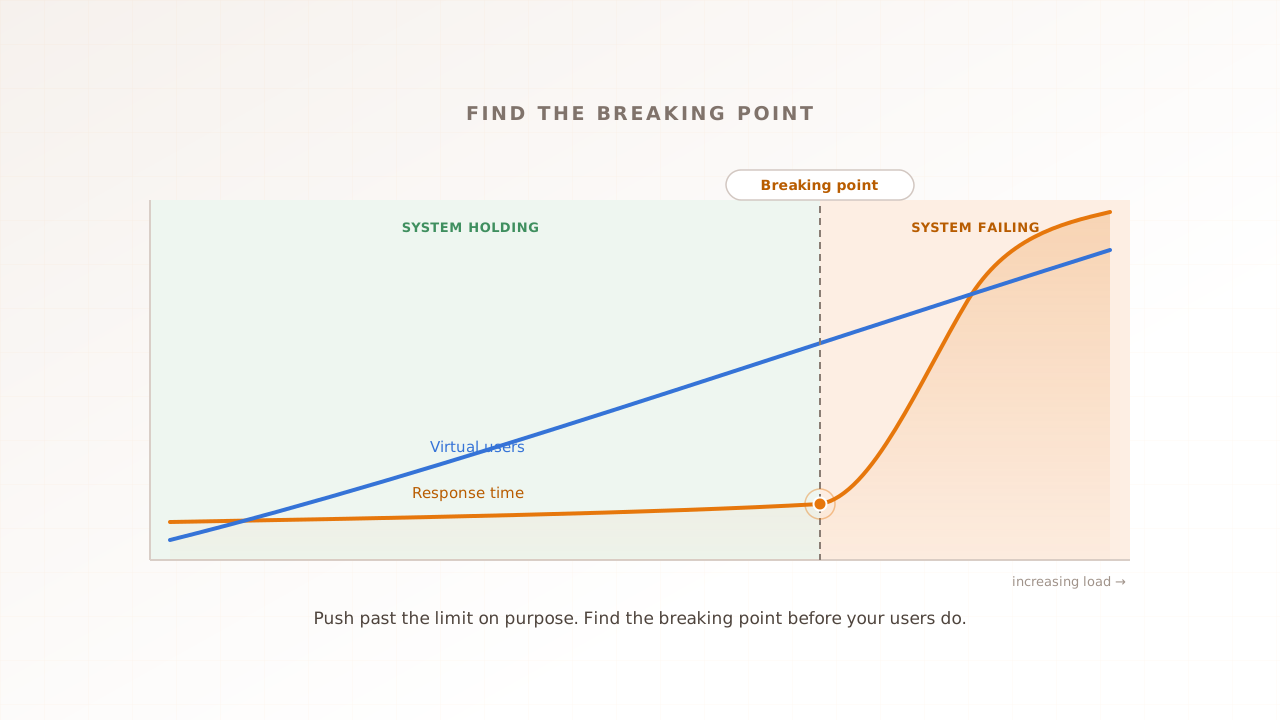
Stress testing a website: how to find the breaking point before your users do
Every website has a breaking point. The only question is whether you find it in a test or your users find it during a sale. Stress testing pushes the site past its limit on purpose, so you learn where it fails, how it fails, and how fast it recovers, before real traffic does. Here is how to run one.
Ahmad Farzan ·
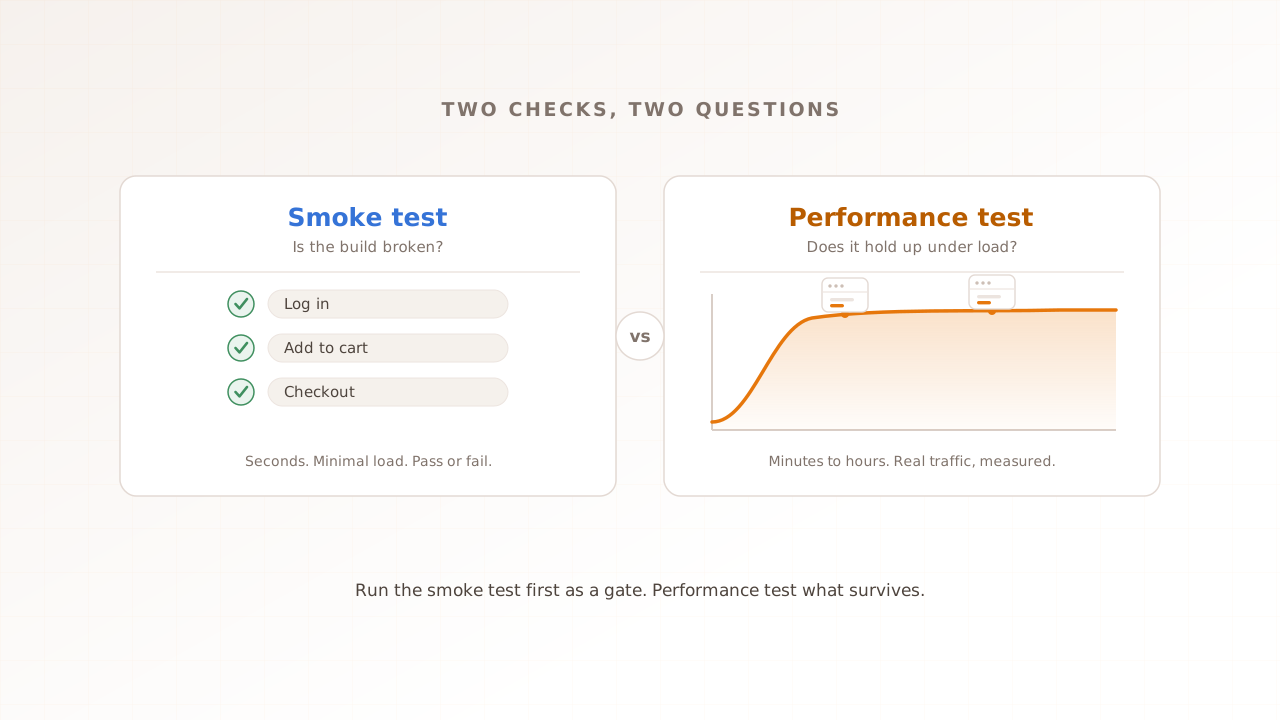
Smoke testing vs performance testing: when a quick pre-release check is enough
Smoke testing and performance testing get treated as rivals, but they answer opposite questions. A smoke test asks whether a new build is broken. A performance test asks whether it stays fast and stable under load. This guide shows how the two differ, and when a quick pre-release check is genuinely enough.
Ahmad Farzan ·
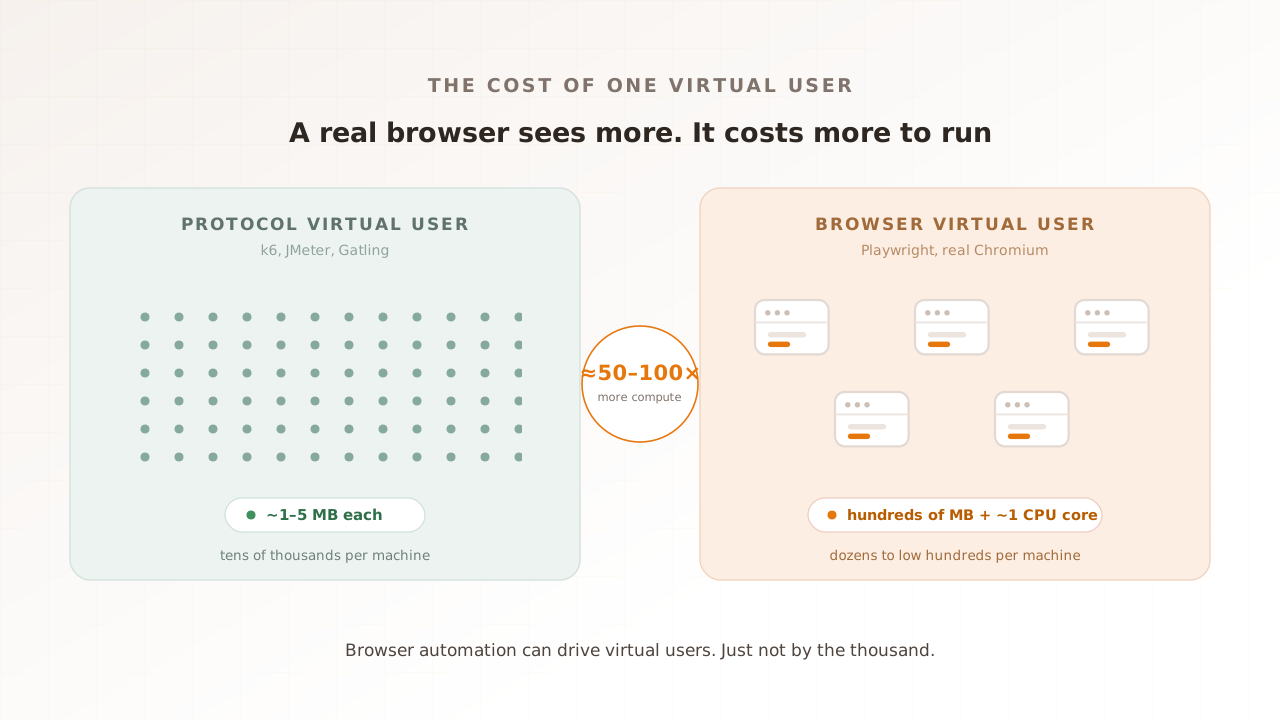
Playwright for performance testing: can a browser automation tool drive virtual users?
You already know Playwright for end-to-end tests. Can you reuse it for performance testing and call each browser a virtual user? You can, but a real browser is expensive to run, so it drives a handful, not a flood. Here is how far Playwright scales, and where you reach for a different tool.
Ahmad Farzan ·
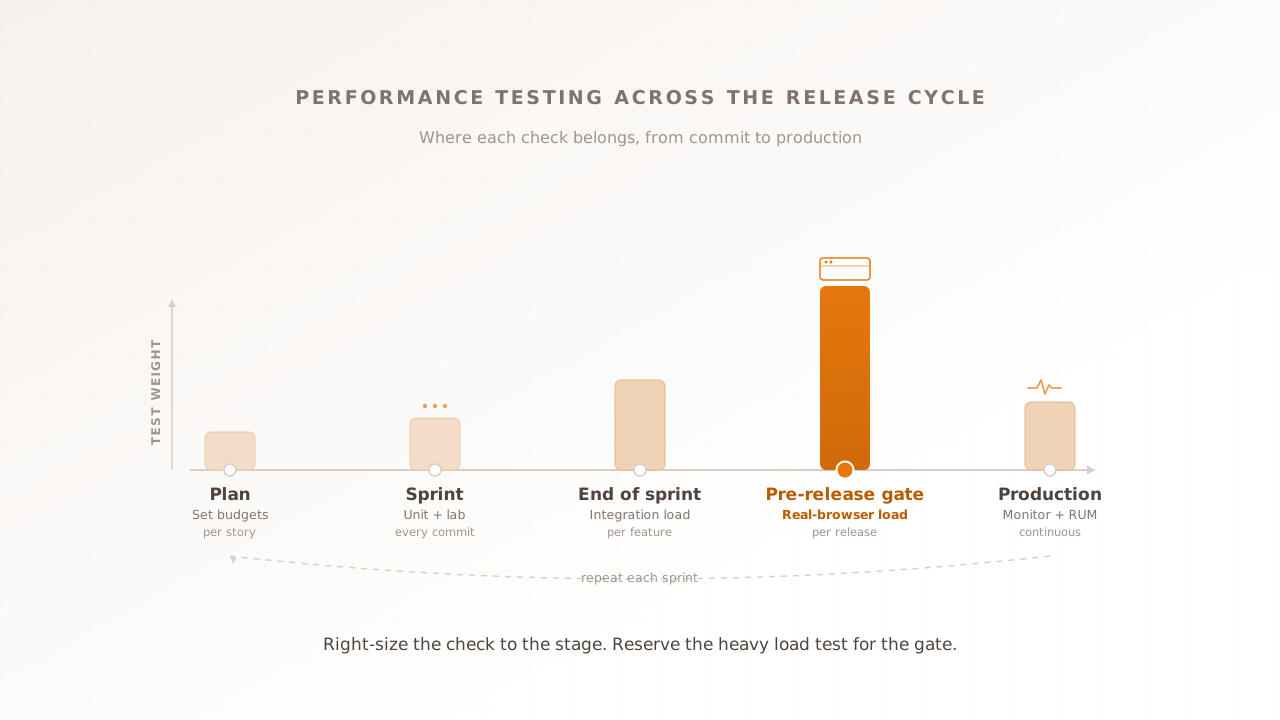
Where does performance testing fit in an agile release cycle?
Agile teams ship every week, sometimes every day. Performance testing built for a quarterly release does not fit that rhythm, so it slides to the end, then to never, until production buckles. It does not have to. This guide maps each performance test to a stage: cheap checks every commit, a real-browser load test at the pre-release gate, monitoring after.
Ahmad Farzan ·
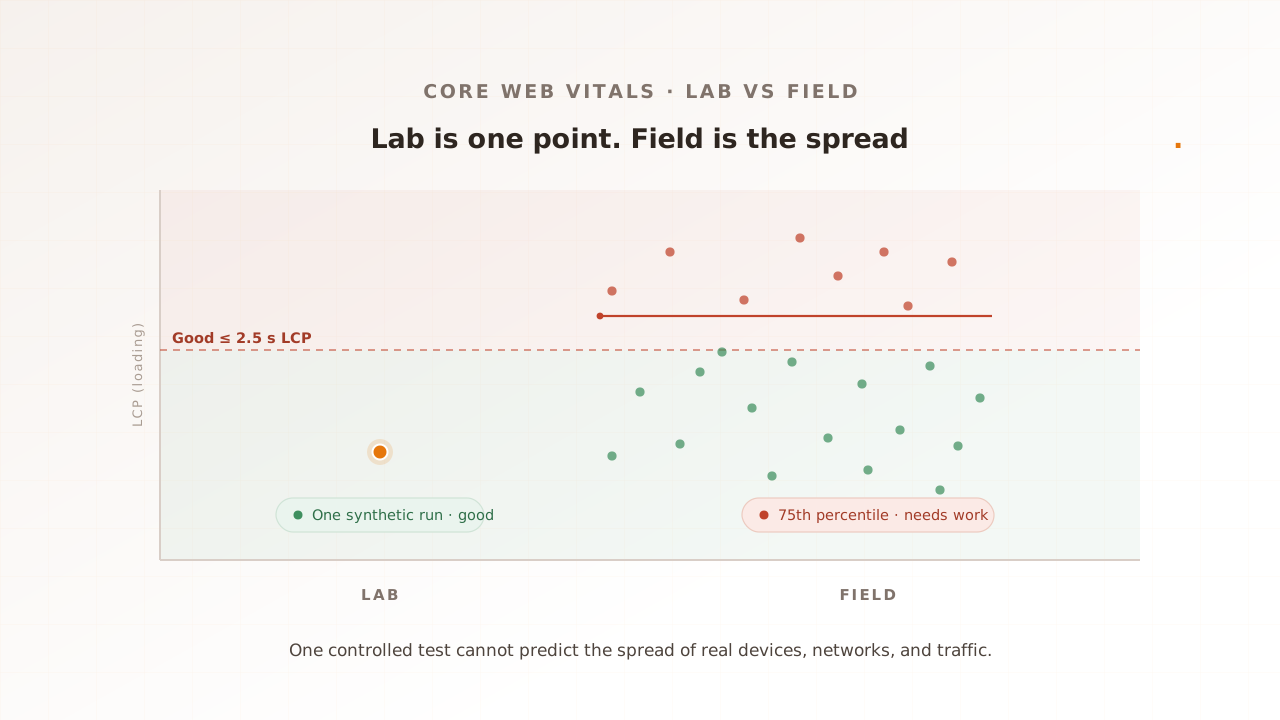
Core Web Vitals: why lab scores differ from real users
Your Lighthouse score says 98. Your Core Web Vitals report says the page is failing. Both can be right. A lab test measures one synthetic load on a fixed device and network; field data is the spread of every real device, connection, and click your users bring, including the traffic a lab never simulates. Here is why lab and field diverge, and which to trust.
Ahmad Farzan ·
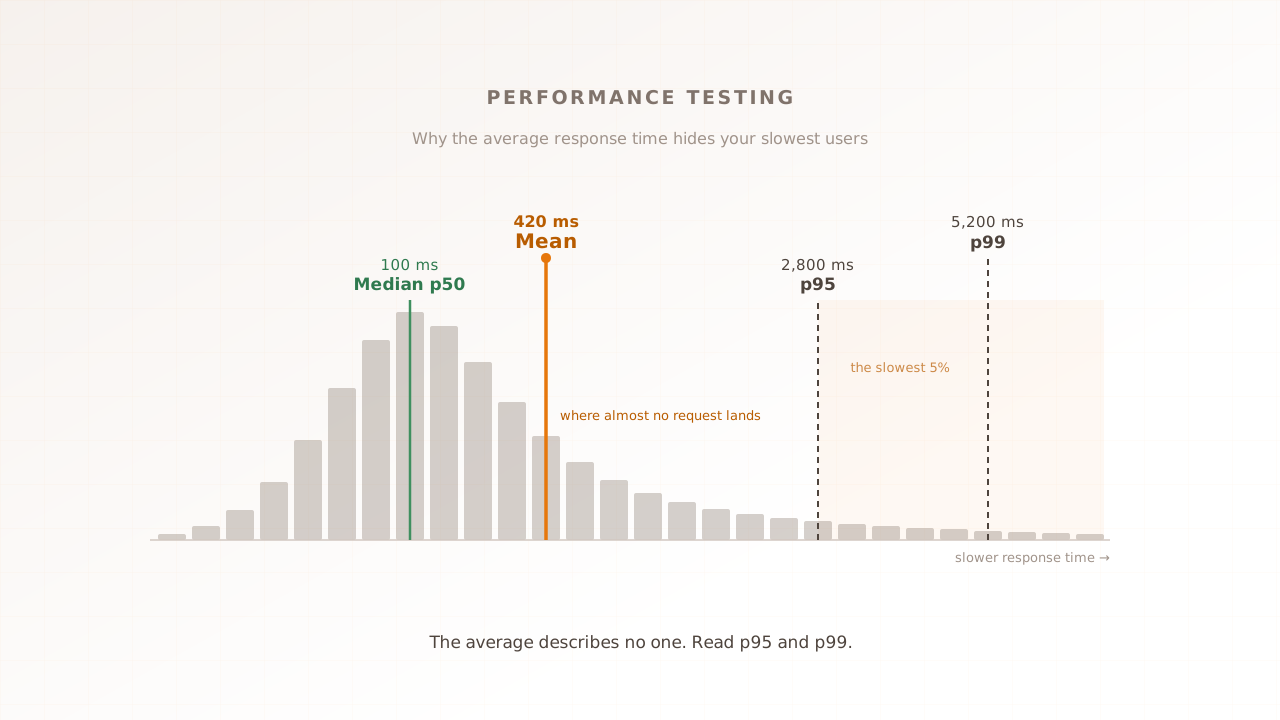
Why average response time misleads you: reading p95 and p99
Your dashboard says average response time is 420 milliseconds. Half your users see 100, one in a hundred waits over five seconds, and the average describes none of them. p95 and p99 read response time from the slow end, where the failures you run a performance test to find actually live.
Ahmad Farzan ·
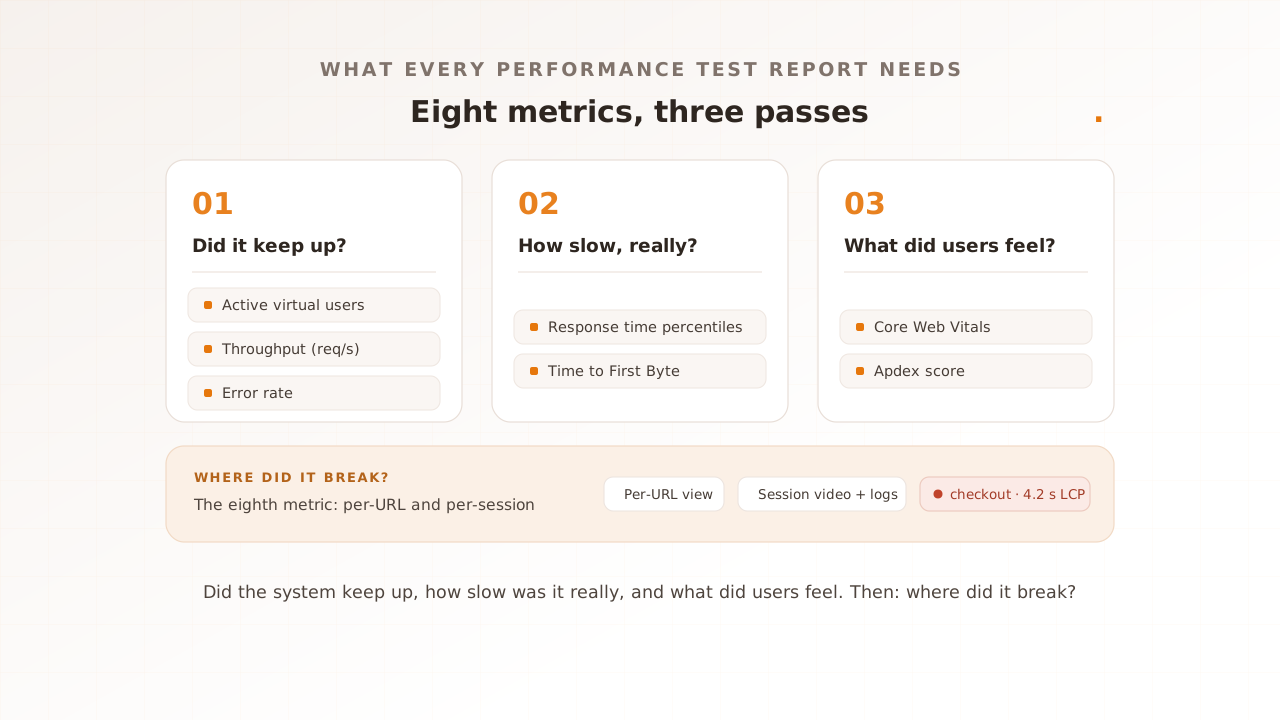
8 metrics every performance test report should include
A performance test report full of green averages can still hide a checkout that buckled at peak. The numbers that catch it come in three passes: did the system keep up, how slow was it really, and what did users feel. Here are the eight metrics that answer those questions, and the benchmark that shows each is healthy.
Ahmad Farzan ·
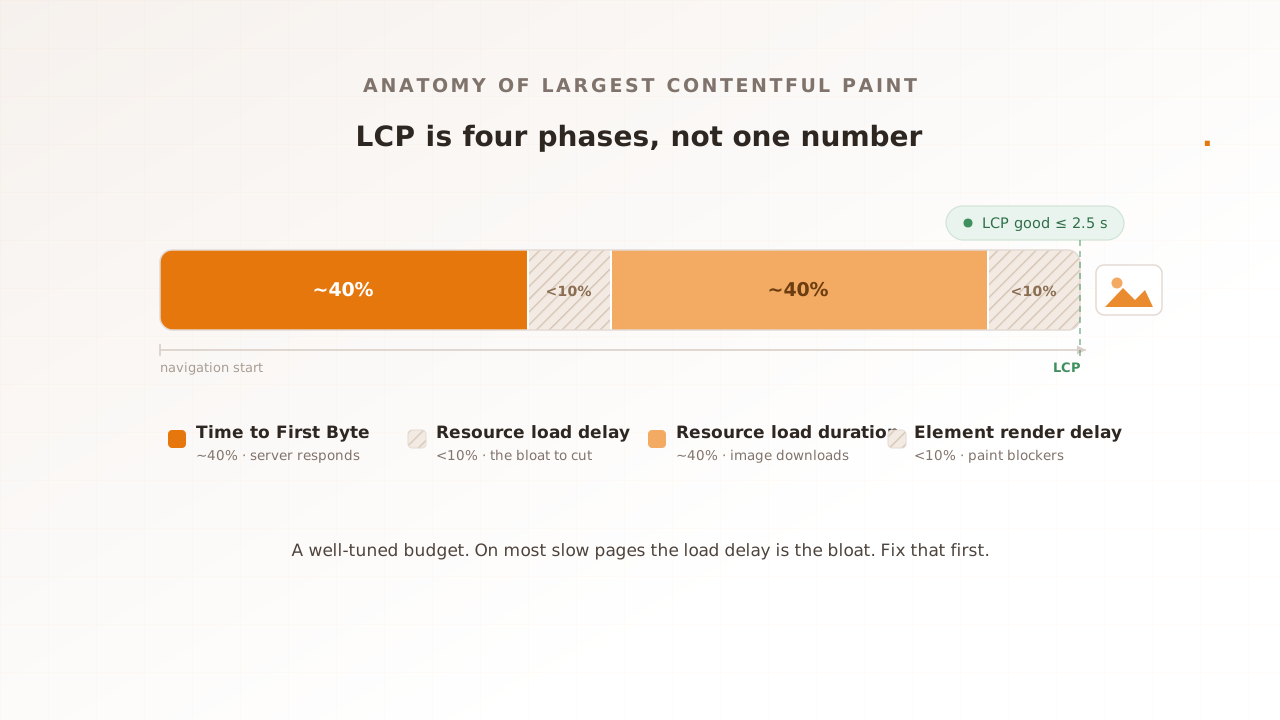
Largest Contentful Paint (LCP), explained for engineers
Your Largest Contentful Paint is the moment the biggest thing on the page, usually the hero image, finishes rendering, and Google treats it as a Core Web Vital. This guide explains what counts as the LCP element, the four phases LCP breaks into, why your lab and field numbers disagree, and how to fix and measure it under real load.
Ahmad Farzan ·
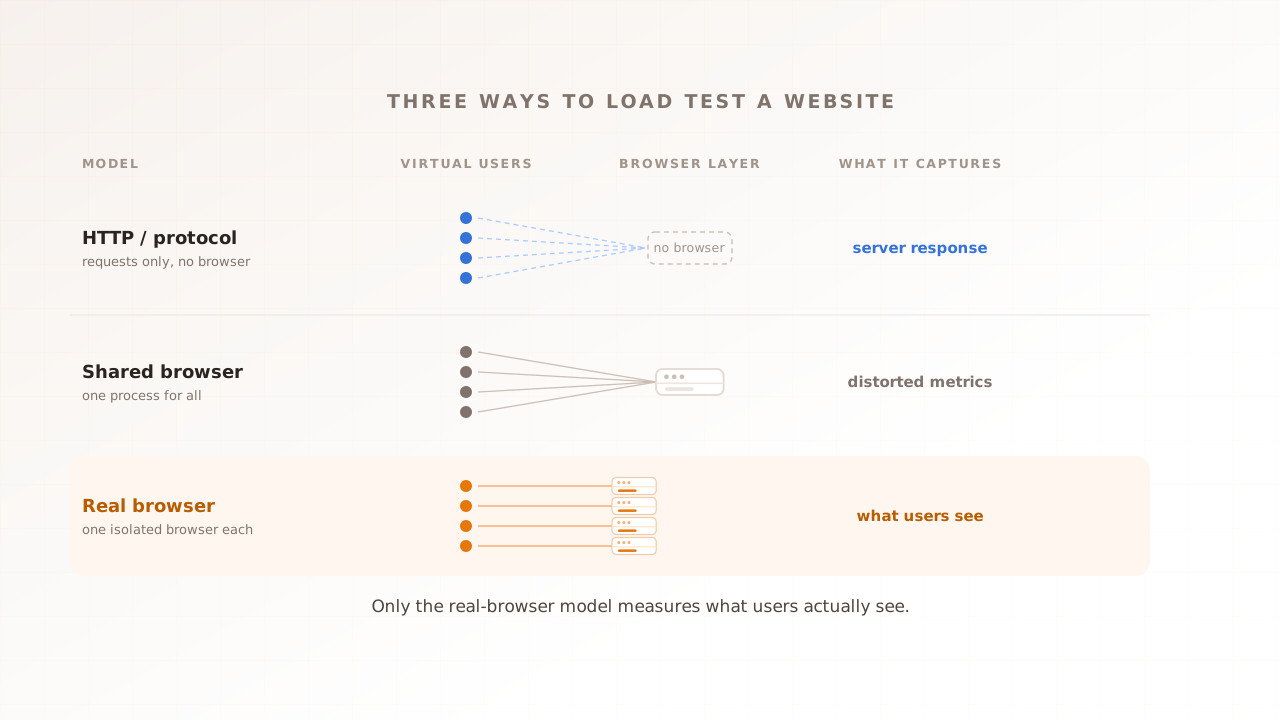
Real-browser load testing, explained
Most load testing tools fire HTTP requests at your server. A few share one browser across many simulated users. Real-browser load testing gives every virtual user its own isolated browser, so it measures what your customers' browsers actually do under load. Here is how the three models differ, what each one can and cannot see, and when each is the right call.
Ahmad Farzan ·
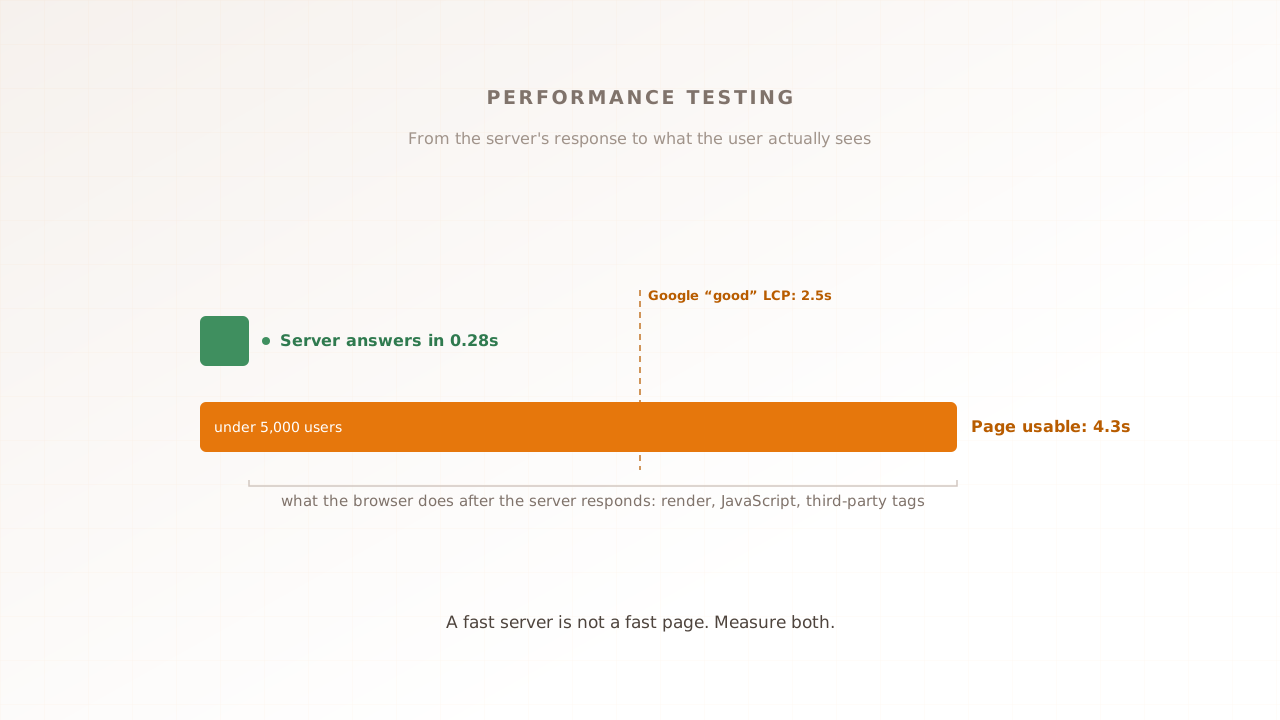
Performance testing: the complete guide
Your server can answer in 50 milliseconds and still ship an eight-second page. Performance testing measures both backend behavior and the browser-rendered experience under controlled load. This guide maps the whole discipline: the types, the metrics that matter, the process, and how to choose between protocol-level and real-browser tools.
Ahmad Farzan ·
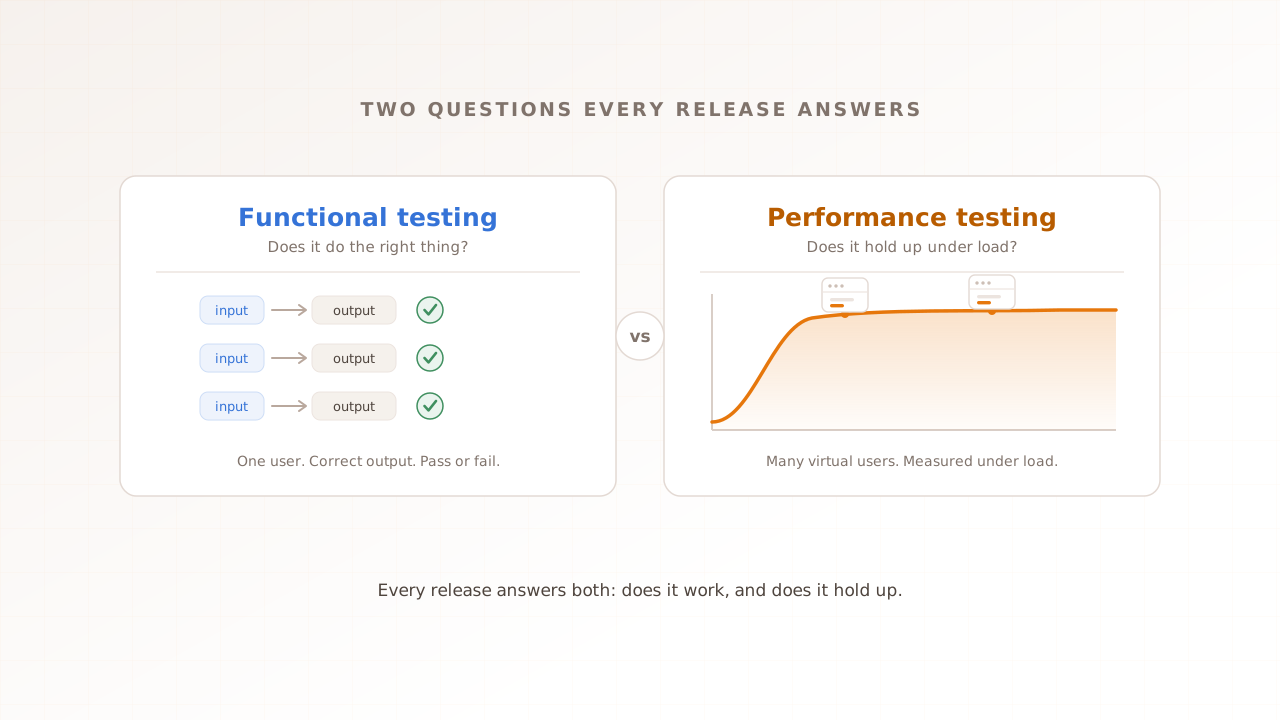
Functional testing vs performance testing: two questions every release should answer
A build can pass every functional test and still fall over the moment real traffic arrives. Functional testing answers one question: does your software do the right thing? Performance testing answers another: does it stay fast and stable under load? Every release has to answer both. This guide shows how the two differ, and where each one fits.
Ahmad Farzan ·
Performance testing FAQs
What is performance testing?
Performance testing measures how a website or app behaves under load: how fast it responds, how stable it stays, and where it breaks. It spans load, stress, spike, and soak testing, each answering a different question about behaviour under traffic.
What is the difference between load, stress, and spike testing?
Load testing checks behaviour at expected traffic. Stress testing pushes past capacity to find the breaking point. Spike testing applies a sudden surge to see how the system copes and recovers. Most teams run all three against the same journey.
What are Core Web Vitals and why do they matter under load?
Core Web Vitals are Google's user-experience metrics: Largest Contentful Paint (LCP), Interaction to Next Paint (INP), and Cumulative Layout Shift (CLS). They measure what users feel. Under load they often degrade long before the server returns errors, so measuring them in a real browser is what surfaces the problem.
Why test in a real browser instead of at the HTTP level?
HTTP-level tools stop at the server response. The seconds a user waits for the page to render, run JavaScript, and become interactive all happen afterward, in the browser. Real-browser testing captures that part, so the numbers match what users actually experience under the selected test conditions.
How often should you run performance tests?
Run them before major launches and traffic events, after significant changes to critical journeys, and on a regular cadence so regressions surface early. Continuous monitoring fills the gaps between scheduled tests.