Functional testing vs performance testing at a glance
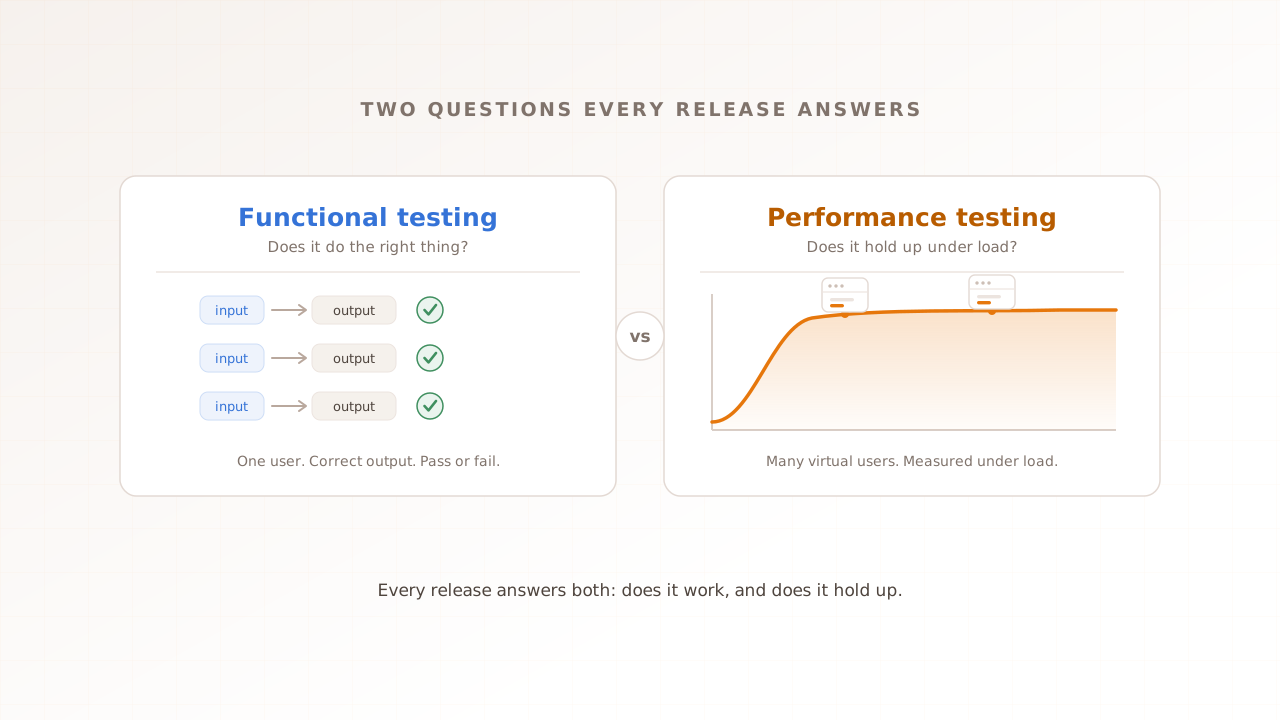
Functional testing and performance testing answer the two questions every release has to clear. Functional testing asks whether the software does the right thing: given an input, does it produce the correct output? Performance testing asks whether it holds up under load: when hundreds or thousands of users arrive at once, does it stay fast and stable? One is about correctness, the other about behavior under pressure, and a release is only ready when both have an answer.
They are not rivals. You do not pick functional testing instead of performance testing any more than a restaurant picks between a dish that tastes right and a kitchen that can plate three hundred of them on a Saturday night. You need both. The table below maps the two by what they ask, what they measure, and when they run; the rest of this guide takes each row in turn.
| Functional testing | Performance testing | |
|---|---|---|
| Question it answers | Does it do the right thing? | Does it hold up under load? |
| Testing category | Functional | Non-functional |
| What it measures | Whether the output matches what is expected | Response time, throughput, errors, Core Web Vitals |
| User load | Usually one user | Many concurrent virtual users |
| Result | A clear pass or fail | A degradation curve, read against targets |
| When it runs | On every build, as early as possible | Before releases and known traffic events |
| Example | Does checkout accept a valid card? | Does checkout stay fast at 2,000 users? |
| Typical tools | Selenium, Playwright, Cypress, Postman | k6, JMeter, Gatling, real-browser platforms |
Two things stand out. The two are not alternatives, because they answer different questions: “does it work” versus “does it hold up.” And they sit at different points in the release. Functional checks are cheap enough to run on every commit, so they go first and keep broken builds out. Performance tests are heavier, so you spend them on builds that have already proven they are not broken. Answer the correctness question first, then measure how the correct thing behaves under load.
What is functional testing?
Functional testing checks whether software behaves the way it is supposed to: for a given input, it confirms the output is correct. It judges the software by what it does, not how it is built, and it produces a clear pass or fail. If the feature works, it passes. If it does not, it fails.
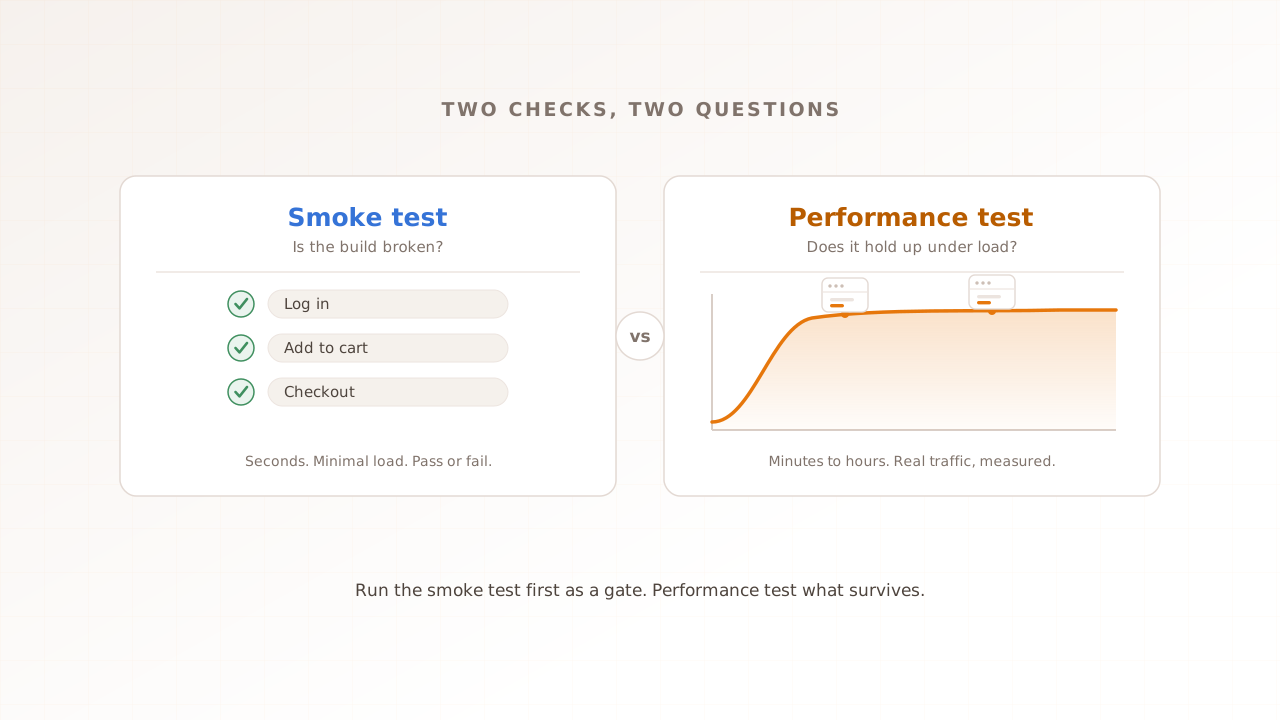
Functional testing runs at every level, from a single function up to the whole application. Unit tests confirm one function returns the right value; integration tests confirm two components work together; a smoke test runs a quick pass over the critical paths after a build; a sanity test checks one fix in depth; regression tests confirm new code did not break old behavior; and user acceptance testing confirms the finished product meets the requirement. Our guide to smoke testing vs performance testing covers where that quick functional gate fits. What unites them is the same question: does the software do the right thing?
Getting that wrong is expensive at national scale. The Consortium for Information and Software Quality estimated that poor software quality cost the United States about 2.41 trillion dollars in 2022, a large share of it traceable to defects that functional testing exists to catch. A feature that returns the wrong total, drops an order, or rejects a valid login is a functional failure, and it is precisely the kind of bug a careful functional suite stops before it reaches a user.
What is performance testing?
Performance testing checks how a system behaves under load: how fast it responds, how much traffic it handles, and how stable it stays as demand climbs. Where functional testing asks whether a feature works, performance testing asks whether it keeps working well when real numbers of users arrive at the same time. It is non-functional testing, concerned with how well the system runs rather than whether it runs at all.
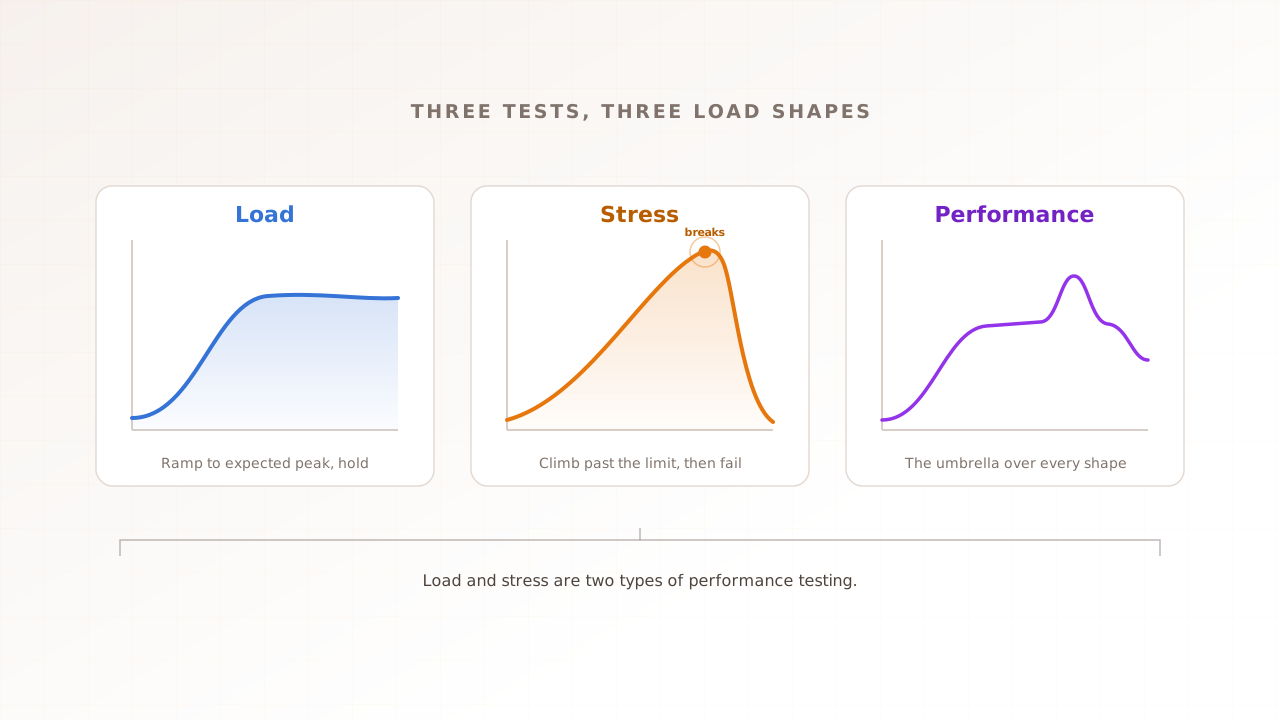
Performance testing is also an umbrella, not one test. It drives many virtual users, each a scripted stand-in for one real visitor, and watches what happens. Load testing checks behavior at expected peak; stress testing pushes past the limit to find the breaking point; spike and soak testing probe sudden surges and slow leaks. Our complete performance testing guide covers the full taxonomy. The numbers it produces are different too. Instead of a pass or fail, you read response time as percentiles (the p95, for example, is the time 95 percent of requests come in under), along with throughput, error rate, and, for anything user-facing, Core Web Vitals, Google’s metrics for loading, interactivity, and visual stability.
The reason the question matters is that people abandon slow software. Google’s 2016 research found that 53 percent of mobile site visits are likely to be abandoned if a page takes longer than three seconds to load. A feature can be perfectly correct and still lose half its audience because it is too slow once traffic arrives, and that is a gap functional testing is not built to see.
The two questions every release should answer
Put the two together and you have a simple test for release readiness: does it do the right thing, and does it hold up under load? Skip the first and you ship a broken feature. Skip the second and you ship a correct feature that collapses on its busiest day. What makes answering both, every time, harder than it sounds is that releases are no longer rare events.
In PractiTest’s 2024 State of Testing report, only 10 percent of respondents said their organization does not use continuous integration and delivery, which means roughly nine in ten now ship through an automated pipeline. DORA’s 2024 Accelerate State of DevOps report found the highest-performing teams deploy on demand, often several times a day, though only about 19 percent of teams reach that level. When you release that often, you cannot hand-check correctness and speed before every push. Both questions have to be answered by automated gates, or they quietly stop being answered at all.
Does it do the right thing?
The first gate is correctness, and it belongs as early as possible. The industry term is shift left: run functional checks as close to the moment code is written as you can, so a broken build is caught in seconds rather than in production. Unit and integration tests run on every commit; a functional smoke test runs on every build to confirm the critical paths still work. The earlier and cheaper the check, the less a defect costs to fix, and the less often a release has to be rolled back. Teams that automate this well are the ones that can deploy frequently without their change failure rate climbing, because every change clears the correctness question before a user ever sees it.
Does it hold up under load?
The second gate is behavior under load, and it belongs before the traffic arrives, not after. A functional suite can be entirely green and tell you nothing about what happens when two thousand people hit checkout at once. That is a separate test, run against a production-like environment, that ramps virtual users to your expected peak and measures whether response times, error rates, and Core Web Vitals stay within target.
The cost of skipping it is concrete on both sides. In 2020, Google and Deloitte’s Milliseconds Make Millions study found that a tenth-of-a-second speed-up on mobile was worth 8.4 percent more retail conversions and 10.1 percent more travel conversions, so speed feeds straight into revenue. At the other extreme, ITIC’s 2024 survey found that for more than 90 percent of mid-size and large enterprises, sixty minutes of downtime now runs past 300,000 dollars. A release that passes every functional test and then buckles at peak is exactly how a team ends up paying that bill. For where this gate sits in a modern workflow, see our guide to performance testing in the agile release cycle.
A concrete release shows why one answer is never enough. A team ships a redesigned checkout, and the functional suite is green: valid cards are accepted, totals are correct, the confirmation email fires. Then launch day sends 2,000 shoppers to checkout in ten minutes, and the new page, heavier now with a fraud-check script and a live-chat widget, takes nine seconds to become interactive. Orders stall, the support queue fills, and the team spends the evening rolling back a release that passed every test it had. The feature did the right thing. It did not hold up under load, and no functional test was ever going to ask that question. A performance gate, run before launch against production-like traffic, would have caught the nine-second page while there was still time to cut the blocking scripts.
What neither question catches on its own
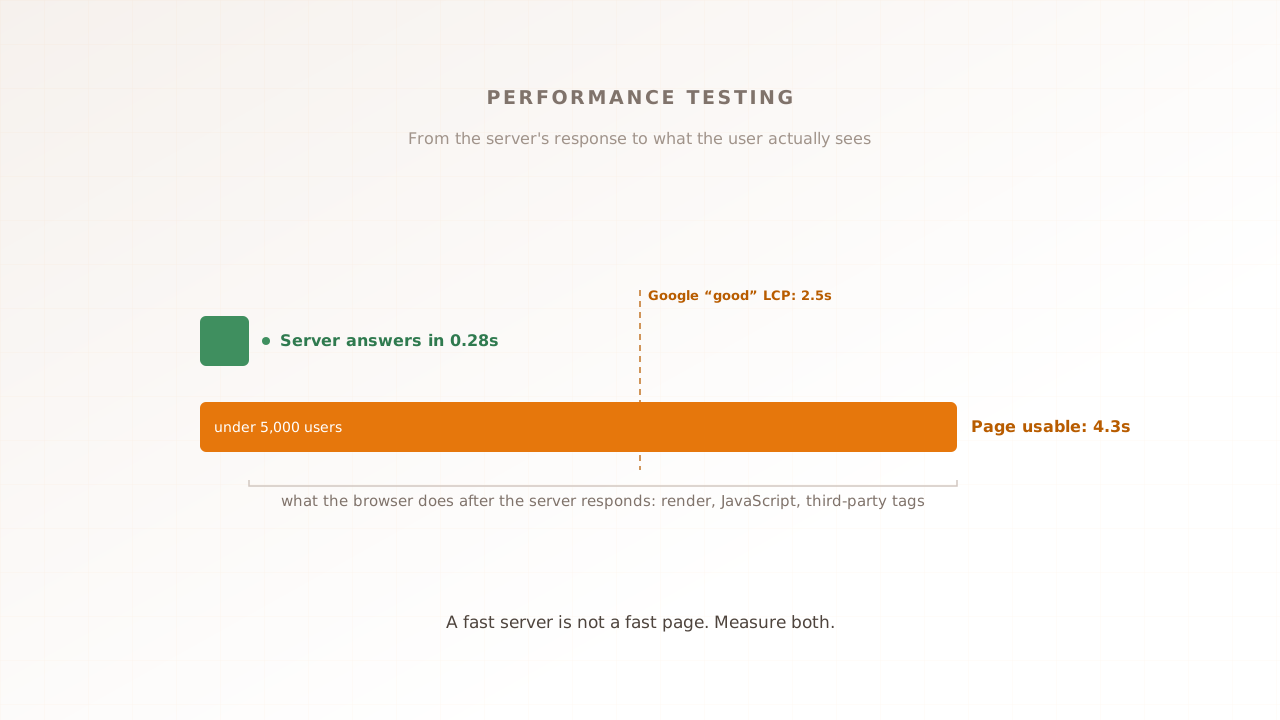
Answer both questions the usual way and a blind spot remains. Functional tests typically run in a single browser, with one user and no load, so they confirm a feature works in ideal conditions, not under traffic. Performance tests, when they are built on raw HTTP requests, drive load at the server and measure how fast it responds, but they never render the page, run your JavaScript, or load your third-party tags. Each answers its own question well and misses the same thing: what a real user actually experiences when the site is busy.
That gap is where modern web performance lives. A backend can hand over its first byte in well under a second while the Largest Contentful Paint, the moment the main content finishes rendering, lands several seconds later because analytics, consent, and chat scripts are tying up the main thread. Those scripts run in the browser, not on your server, so a request-level load test never sees them. The difference is what separates a green dashboard from a frustrated customer.
It is also a side of testing that teams systematically underweight. Capgemini’s 2024-25 World Quality Report urges organizations to give non-functional qualities like performance the same priority as functional ones, precisely because they shape the end-user experience just as much.
The fix is to put a real browser in the loop. Run each virtual user inside an actual browser and the test finally sees the rendering, the scripts, and the third-party tags a server-only check skips. That is how Evaluat works. Every virtual user is a real browser, so each run reports the Core Web Vitals a customer would feel and keeps the session video, network log, and console output for every one of them. The scoping is deliberate. For a pure API load test, or very high concurrency on a tight budget, protocol tools like k6 are the better fit, because rendering a browser per user costs more than firing a request. For a customer-facing journey, the browser has to be in the loop, or you are measuring the server and guessing at the experience. And when a release needs the functional “does it still work” check run against the deployed environment after every deploy, that is the job of Testing Suite, which reuses the same scenarios and is coming soon.
Common mistakes teams make
Most of the trouble here comes from treating one question as if it answered the other. Watch for these five.
- Reading a green functional suite as release-ready. Passing every functional test means the software does the right thing in ideal conditions. It says nothing about whether it stays fast and stable once real traffic arrives.
- Load-testing the API and assuming the page is fast. A protocol-level test can show a healthy server while the rendered page is slow, because the cost is in the browser: scripts, images, and third-party tags the server test never loads.
- Running performance tests once, before launch. Performance is not a one-time sign-off. Code changes, dependencies grow, and a page that passed last quarter can regress. If functional checks run on every release, the performance gate should too.
- Testing in a single browser or region. A feature that works in one desktop browser at no load can behave very differently across devices and from another part of the world. Both questions deserve realistic conditions.
- Underinvesting in the non-functional side. Functional bugs are visible and get fixed; slow pages are easy to defer until they cost a sale. Give performance the same gate, and the same priority, as correctness.
Which question should you answer first?
You always need both answered before a release, but where you spend your next hour depends on where you are starting.
- If you have no automated tests at all, start with functional. Confirm the critical paths work on every build before you worry about how fast they run. There is no point load-testing a checkout that does not yet complete a purchase.
- If your functional suite is solid but you have never load-tested, run a load test at expected peak. You are likely shipping correct features with no idea how they behave under traffic, and a single load test against a production-like environment often surfaces the first real bottleneck.
- If the system is user-facing and revenue depends on it, test performance in a real browser. Server timings will not tell you what the customer sees. Measure Core Web Vitals under load so the number you gate on is the experience, not just the response.
- If the thing under test is an internal API or a back-end service, lead with protocol-level load testing. There is no page to render, so a request-level tool like k6 or JMeter answers the performance question more cheaply than a browser would.
The order changes with the situation. The destination does not: every release should be able to answer both questions before it ships.
Answer both, in a real browser
Functional testing and performance testing are not competing options; they are the two questions every release has to clear. Functional testing confirms your software does the right thing, with a clear pass or fail. Performance testing confirms it stays fast and stable under load, read as a curve against your targets. Answer only the first and you ship something correct that falls over at peak; answer only the second and you tune the speed of something that may not work. Mature teams gate both, automatically, on the way to production.
When you reach the performance question, measure what the user experiences, not just how quickly the server replies. Evaluat answers it in real browsers: one isolated browser per virtual user, with Core Web Vitals, session video, network logs, and console output captured for each. When a release slows down at peak, you reopen the session that slowed instead of guessing from an average. A failure at peak isn’t a percentile. It’s a session.
Test in real browsers. Debug in real sessions. Book a demo.