What is page weight?
Page weight is the total size of everything a browser downloads to load a page: the HTML, stylesheets, JavaScript, fonts, images and video, including files from other companies’ servers. It is usually counted as transfer size, the compressed bytes that travel over the network, which is smaller than the size of the same files once the browser unpacks them.
Chrome’s developer tools show both. In the Network panel, DevTools lists the total size of transferred and loaded (uncompressed) resources at the bottom of the screen. The transferred figure is what a shopper’s connection carries; the uncompressed figure is closer to what the browser has to process.
Page weight is not page length. A long page with text and a few small images can be light, and a short page with a video background and a heavy script bundle can be very heavy.
Think of it like packing for a trip. The total weight of the luggage matters, but what decides how fast you get going is what is in the bag you have to open first. A browser works the same way: some bytes block the first view, and others can arrive later without anyone noticing.
How big are web pages in 2026?
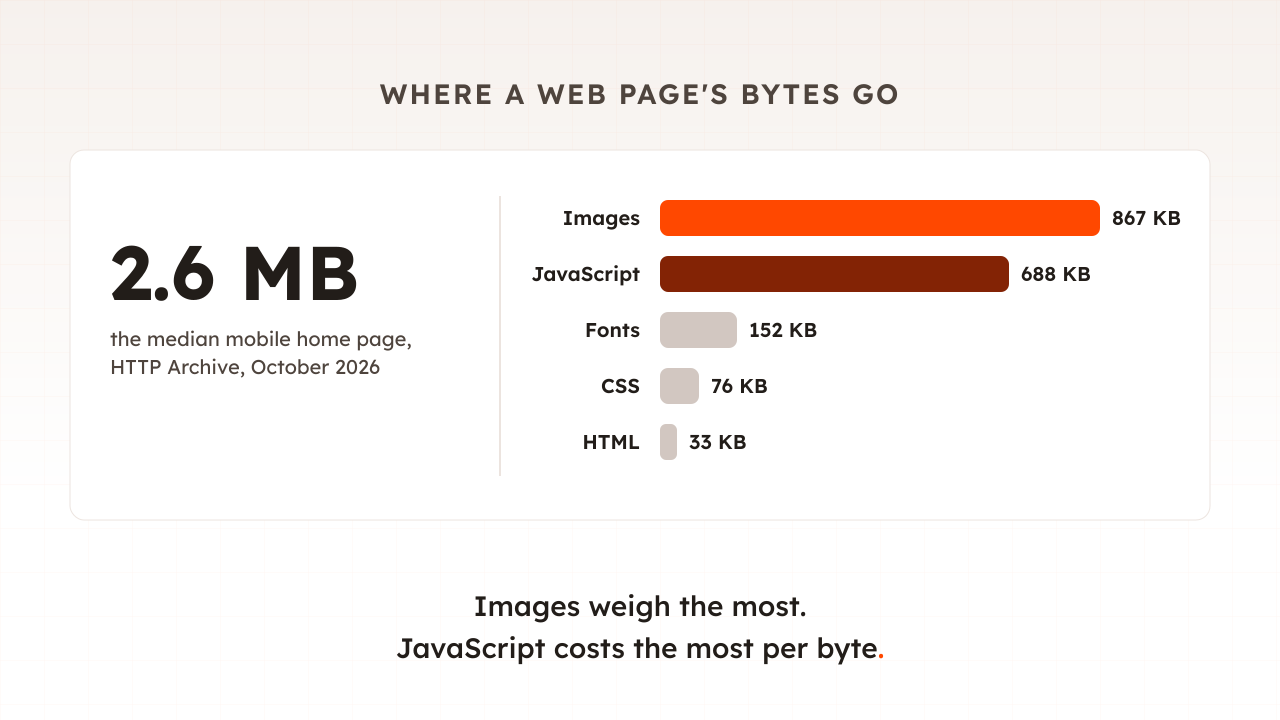
In HTTP Archive’s October 2026 crawl, the median mobile home page transferred 2,625 KB, about 2.6 MB, and the median desktop home page 2,987 KB. One mobile home page in ten was over 11.5 MB. Pages have roughly tripled since then: the 2025 Web Almanac notes that in July 2015, the median mobile home page was a meager 845 KB.
The figures come from HTTP Archive’s page weight report, which crawls millions of home pages each month and reports kilobytes of 1,024 bytes. Here is how the median page splits by type of file.
| Type of file | Median mobile home page | Median desktop home page |
|---|---|---|
| Images | 867 KB | 1,031 KB |
| JavaScript | 688 KB | 763 KB |
| Fonts | 152 KB | 166 KB |
| CSS | 76 KB | 81 KB |
| HTML | 33 KB | 35 KB |
| Whole page | 2,625 KB | 2,987 KB |
Each row is the median for that type on its own, so the rows do not add up to the whole-page figure.
Home pages are not the whole story. The 2025 Web Almanac also measured one inner page per site, and found that the median mobile inner page weight has increased by 27.8% to 1.8 MB. Most of the difference is images: the median mobile home page used 911 KB of images while inner pages used 354 KB. No public census measures product pages specifically, which is a good reason to measure your own.
Which bytes matter most?
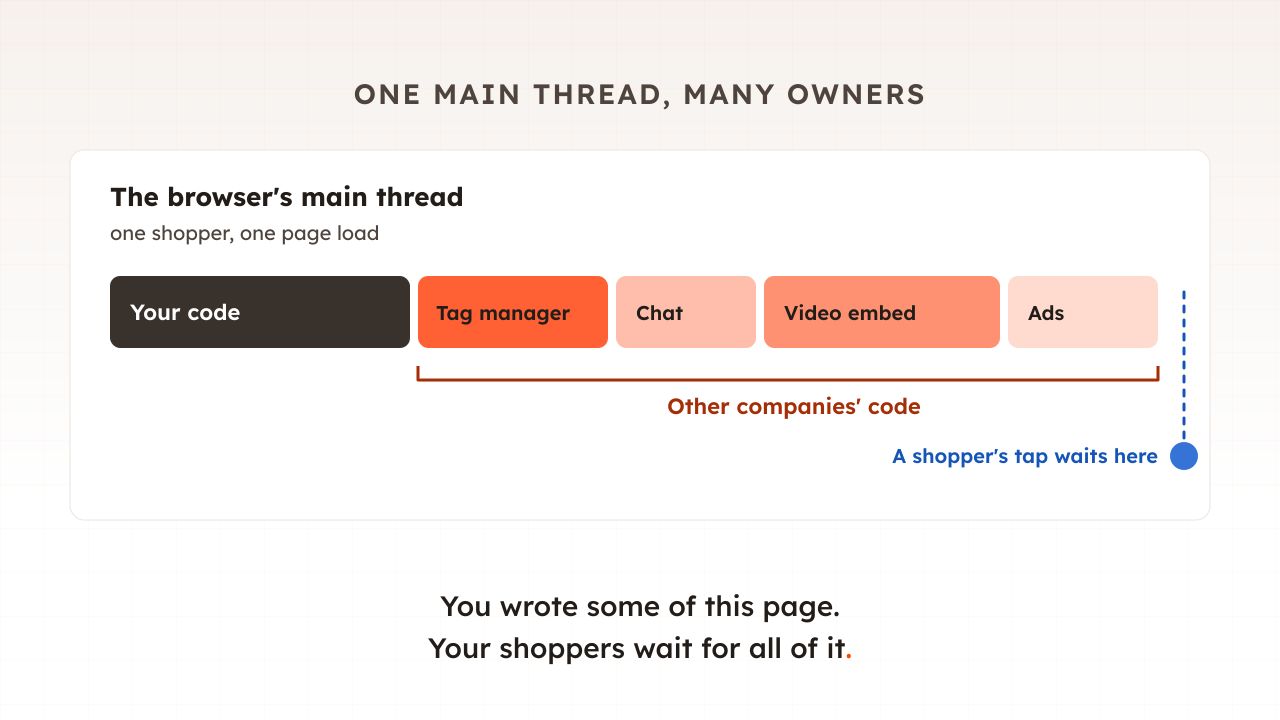
The bytes the browser needs before it can show and run the page. Images are usually the largest share of a page’s weight, and JavaScript is second, but a kilobyte of JavaScript costs more than a kilobyte of image, because the browser has to parse and run it before the page responds. Bytes for content further down the page matter least.
The Almanac’s authors put it neatly: 100 KB of an image is just pixels, but 100 KB of JavaScript is work. The CPU must parse, compile, and execute that code. On a low-end phone, they add, that work can freeze the screen for several seconds. That is why part 18 of this guide treated scripts as a cost in time, not just in bytes.
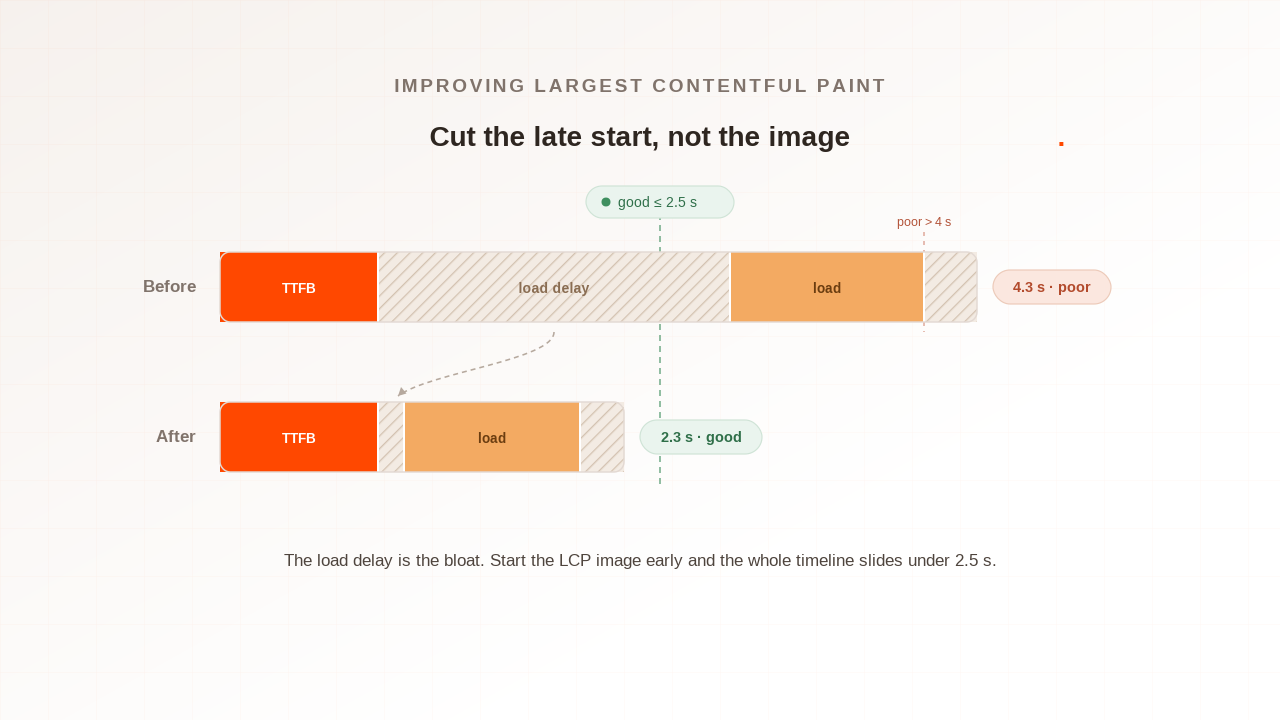
Images still matter most for the first view of most shops. The 2025 Almanac found images were the main content element, the one that sets Largest Contentful Paint, on 85.3% of desktop pages and 76% of mobile pages. A heavy hero image delays the moment a shopper sees the page, however light everything else is.
Why does page weight matter?
Because bytes take time to arrive, and every byte is multiplied by every visitor. A heavy first view is slow on slower connections, heavy JavaScript makes the page slow to respond, and on a busy day the same bytes are sent to thousands of shoppers at once. Heavier pages also pass Core Web Vitals less often.
It slows the first view
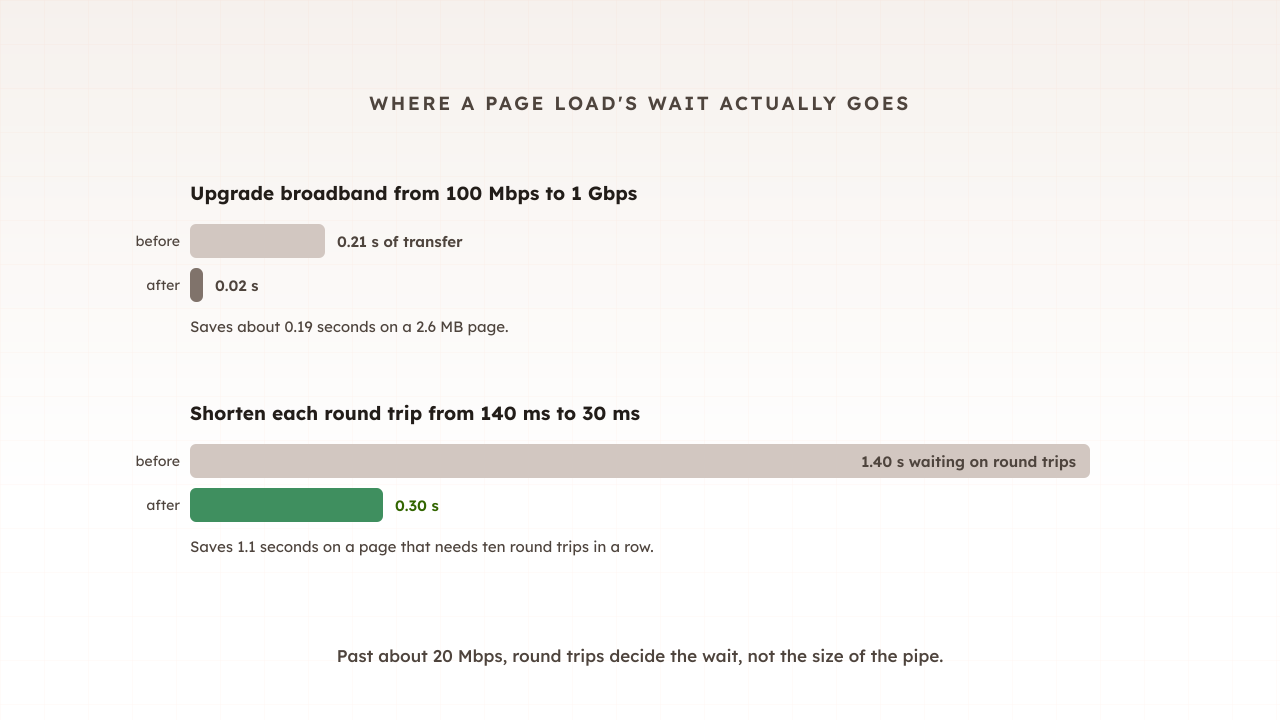
Take a typical phone connection. Alex Russell, who studies web performance on the devices people actually own, takes as his baseline the connection that three in four users match or beat: 9Mbps of downlink bandwidth, 3Mbps upload, with 100ms of RTT latency. A 2.6 MB page is about 21 megabits. At 9 megabits a second, that is more than two seconds of pure download before counting any round trips, if the browser needed every byte up front. It does not, which is why the bytes for the first view are the ones to cut. Part 10 explains why round trips often matter as much as size.
It tracks with worse Core Web Vitals
In the Almanac’s data, 70% of desktop home pages under 1 MB passed this assessment, the Core Web Vitals check, while only 38% of home pages 5 MB or larger passed. On mobile the figures were 57% and 30%. That is a correlation, not proof that weight alone causes the failures, but the pattern is consistent.
It multiplies under load
Every visitor downloads the page. At 2.6 MB a first visit, 50,000 first visits in a sale hour move around 130 GB. Files served from a CDN cache cost your servers nothing; anything not cached, such as images resized on the fly, comes from your own servers every time.
How big is too big?
There is no official number. Lighthouse starts warning at about 2,667 KiB, which the median desktop home page already exceeds, and published performance budgets focus on the bytes needed for the first view rather than the whole page. A practical answer is a budget per page type, set from what loads before the shopper can see and use the page.
| Reference point | Number | What it means |
|---|---|---|
| Lighthouse “Avoid enormous network payloads” | Passes up to about 2,667 KiB, scores half marks at 4,000 KiB | A diagnostic only; it carries no weight in the Performance score |
| Russell’s 3-second budget, light JavaScript | 2.0 MiB of critical-path bytes, 0.3 MiB of it JavaScript | Bytes needed for the first view on a typical phone and connection |
| Russell’s 3-second budget, heavy JavaScript | 1.2 MiB, half of it JavaScript | Less room, because JavaScript costs processing time |
| Googlebot when crawling for Search | The first 2 MB of each file, uncompressed | A per-file crawl limit, not a page-weight target |
The Lighthouse numbers come from its source code, which scores the audit as passing up to 2,667 KiB and half way at 4,000 KiB, and gives it a weight of zero in the Performance score. Russell says of his own budgets that these budgets are extremely generous.
The Googlebot limit is often misread. Google’s documentation says Googlebot crawls the first 2MB of a supported file type, that the file size limit is applied on the uncompressed data, and that each resource is fetched separately. It is a limit on each file, not on the page.
How do you measure page weight?
Load the page as a first-time visitor and read the totals. In Chrome, open DevTools, go to the Network panel, tick Disable cache and reload. The status bar shows the transferred and uncompressed totals, and the filters split them by images, scripts, fonts and the rest. Lighthouse lists the largest files.
A few habits make the numbers honest.
- Disable the cache. DevTools notes that this more accurately emulates a first-time user’s experience.
- Open DevTools before you load. The totals only count requests that have been logged since DevTools was opened.
- Scroll the page. Lazy-loaded images and scripts only arrive as a shopper scrolls, so a page that weighs 1 MB at first can weigh 4 MB at the bottom.
- Measure the pages that earn money. A product page with a gallery and reviews is often heavier than the home page.
- Accept the consent banner. Tags that load after consent are part of the weight many shoppers get.
How do you reduce image weight?
Use modern formats, send each screen an image of the right size, and load images below the fold only when a shopper scrolls towards them, but never the main image at the top. Those three changes usually cut more weight than anything else, because images are the largest share of most pages.
- Use modern formats. MDN’s advice is that for raster images, prefer WebP or AVIF, which generally provide better compression than PNG, JPEG, and GIF. Adoption is still low: in the 2024 Almanac, JPEG was 32.4% of images on mobile pages, WebP 12% and AVIF 1.0%.
- Send the right size. The
srcsetandsizesattributes let the browser pick an image to fit the screen. Done badly, they waste bytes: the Almanac found a quarter of all desktop pages that use w descriptors are loading 180 KB or more of wasted image data. - Lazy-load below the fold only. Google’s guidance is don’t lazy-load images that are likely to be in-viewport when the page loads, especially LCP images. Yet about 16%-17% of pages lazy-load their LCP image.
- Prioritise the main image.
fetchpriority="high"on the hero image asks the browser to fetch it first. - Compress text files. HTML, CSS and JavaScript should travel compressed; in 2025, 71% of desktop and 72% of mobile home page loads had proper text compression.
Common mistakes with page weight
Most come from measuring the wrong page, the wrong way.
- Measuring only the home page. Product and category pages carry the galleries and reviews.
- Measuring with a warm cache. Repeat visits look light; first visits are what new shoppers get.
- Lazy-loading the hero image. It saves bytes nobody needed to save and delays the first view.
- Uploading images straight from the camera or the design file. Resize and compress before they reach the site.
- Counting bytes but not processing. A small script bundle can still block the page for longer than a large image.
How Evaluat shows page weight under load
Every virtual user is a real browser, so each one downloads the full page, images, fonts, scripts and tags included, the way a shopper’s browser does. The network log for each session lists every request with its size and timing, and the report’s network view groups requests by URL, filters them by type such as image or script, and shows a percentile of their duration across every session.
That makes weight visible under load. If image requests slow down as the test ramps up, the network log shows whether they came from the CDN’s cache or from your own servers, because it shows the cache state of every request that reports one. Core Web Vitals per session show whether the heavy hero image pushed Largest Contentful Paint past its target at peak.
The boundaries are worth stating. Evaluat’s browsers run at desktop screen sizes on fast connections, without slowing the network to match a phone, so they download desktop images quickly. Use field data or a throttled lab test to see what heavy pages cost on mobile connections.
Page weight is a budget, not a verdict. Measure the pages that earn money, cut the bytes that stand between a shopper and the first view, and start with the images.
Test in real browsers. Debug in real sessions. Book a demo to see what your pages cost at peak.